



Qwen-Image 2.1 Complete Guide: Unifying Image Generation, Editing, and Transparent PNGs in 7B Parameters, Plus 100 Reddit Examples
On September 20, 2026, the Qwen team released its image-generation model, “Qwen-Image 2.1.” Its defining feature is that it brings text-to-image generation, reference-image editing, multi-image compositing, local editing, and transparent-background (RGBA) generation and editing together in a single model. Its image-generation component has 7 billion parameters. Rather than pursuing scale at all costs, it aims for a size and level of efficiency that remain practical in local environments.
In short, Qwen-Image 2.1 is especially compelling not as a model that creates the single best image from nothing, but as a production model that can preserve existing images, combine multiple assets, and alter targeted areas without overhauling everything. On Reddit, the strongest praise centers on editing, character consistency, product compositing, outpainting, and transparent assets. At the same time, users have reported clear weaknesses with hands, distant faces, fine-detail noise, crushed blacks, old-photo restoration, and anime-style imagery.
This article organizes all of its capabilities using official information, then surveys major Reddit threads to compile the generation and editing tests that drew attention into “100 Examples.” The 100 entries do not mean 100 independent posts; they count individual visual themes and editing operations tested across multiple popular posts, galleries, and workflows.
What Is Qwen-Image 2.1?
Qwen-Image 2.1 is an integrated image-generation and editing model in the Qwen family. According to the official description, its generation component uses a 32-layer Single-Stream DiT with 7 billion parameters. Qwen3-VL 8B converts text instructions and conditioning images into a shared representation, while a 64-channel RGBA VAE provides 16× spatial compression and native transparency.
The official release highlights four improvements.
- Compact and efficient: Mixed-granularity attention and prefix KV-cache reuse improve the balance between quality and compute cost.
- Unified generation and editing: Standard and transparent images can be generated and edited with the same model.
- Versatile editing: Supports up to 10 reference images, localized instructions using masks or drawing annotations, and identity preservation for people and products.
- Texture and aesthetics: Improves typography, portrait lighting, and fine texture detail.
Sources: Qwen official blog, official GitHub, Diffusers documentation
A Breakdown of Every Feature
1. Text-to-Image Generation
It supports conventional text-to-image generation. In addition to short prompts, it can handle complex instructions containing long natural-language descriptions, composition, lighting, materials, foreground and background details, and text elements through Qwen3-VL. Official examples use 40 steps as a baseline, while the community has tested speed-focused LoRAs at 8–16 steps and quality-focused settings at 30–40 steps.
2. Image Editing
You can provide an input image and a written instruction together to change color, weather, backgrounds, clothing, poses, materials, lighting, camera angle, and more. On Reddit, many users consider its editing stronger than its pure T2I performance.
3. Up to 10 Reference Images
People, clothing, shoes, bags, hats, furniture, products, and other elements can be pulled from separate images and integrated into one scene. Official examples include a group portrait combining six faces, a virtual try-on using five assets, and interior design using 10 furniture pieces. Community reports also note that conflicting instructions and attribute mixing become more likely as the number of references grows.
4. Native RGBA and Transparent Backgrounds
Rather than simply removing a background in post-processing, it can directly generate images containing a transparency channel. This is useful for extracting subjects from photos, editing the shape of transparent assets, and creating multi-element assets with transparency.
5. Local Editing and Mask Editing
You can specify areas to change using circles, painted annotations, or standalone masks. In ComfyUI, users have tested painting colors directly on an image and giving instructions such as “change only the clothes in the red area.” Combined with LanPaint, it can inpaint not only color but the alpha channel itself.
6. Outpainting
It can extend the canvas upward, downward, left, and right, filling blank areas in a way that matches the original image’s context. A Reddit report that it could expand in multiple directions at once and do so faster than conventional dedicated workflows attracted attention.
7. Identity Preservation
Its main use is changing backgrounds or selected attributes while preserving a person’s face, outfit, and pose, or a product’s shape and brand features. It has been especially discussed for character sheets and sequential-shot production, although extreme angles, strong expressions, and long sequences should be tested for drift.
8. Text Rendering and Design
It supports images containing posters, packaging, signage, and typography. A popular workflow is to use an external LLM to organize composition, information hierarchy, type size, and whitespace before passing the result to the model. However, users have also reported unintended Chinese text appearing in English infographics.
9. Prompt Rewriting
The official repository includes prompt rewriters for T2I and I2I. They expand short requests into detailed compositions and, during editing, rewrite prompts to preserve everything except the intended modification. Community reports suggest that task-specific templates can sometimes work better than the standard rewriter.
10. Acceleration, Memory Reduction, and Quantization
It supports Diffusers CPU offload, vLLM-Omni prefix KV cache, CUDA Graph, FP8, tensor parallelism, and SGLang memory offloading and optimized kernels. Community variants for ComfyUI include BF16, INT8 ConvRot, GGUF, and 4-bit releases. Users report that a 4-step LoRA can be roughly twice as fast, and custom nodes can run prompt expansion in 8GB of VRAM, but the speed-quality tradeoff should always be checked.
11. Supported Environments
The official documentation covers the official implementation, Hugging Face Diffusers, ComfyUI, vLLM-Omni, SGLang-Diffusion, LightX2V, and ModelScope. It also presents ROCm examples for AMD Radeon GPUs and multi-chip support through FlagOS.
12. Licensing Notes
The model weights are publicly available, but they are provided under the “Qwen Research License Agreement,” not Apache 2.0. The official license explicitly states that commercial use requires a separate commercial license. It also includes notice requirements for redistribution and requirements to display “Built with Qwen” or “Improved using Qwen” in documentation for derivative AI models. Be sure to read the original license before deploying it for business use.
Source: official license
50 Perspectives from Official Examples
This section presents 50 examples centered on official Qwen-Image 2.1 samples published by the Qwen team, pairing them with points that received particular discussion on Reddit. Rather than only showing attractive final images, it includes inputs, edited results, masks, multiple references, camera changes, and document generation, making it easier to see where the model can help within a production workflow.
Transparent Assets and Illustration Generation
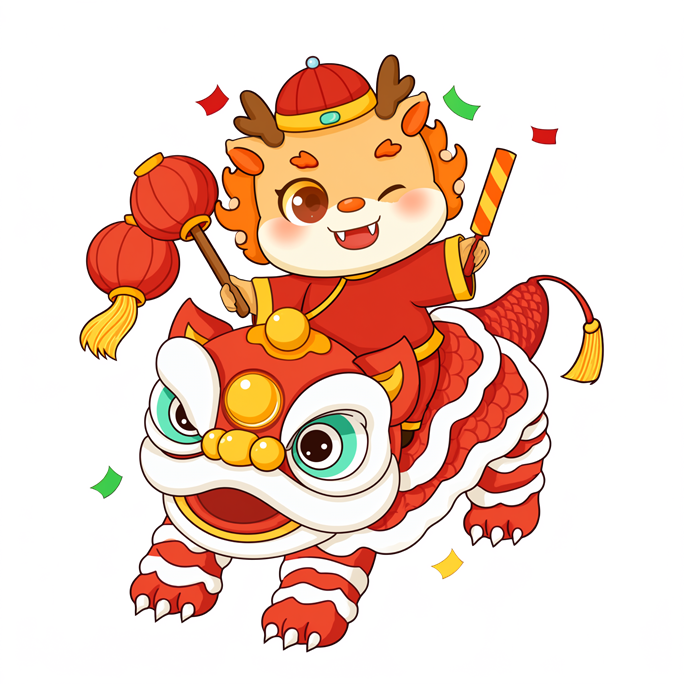
Example 1: A transparent illustration with a lion-dance motif. An example of handling detailed outline decoration and an alpha background at the same time.
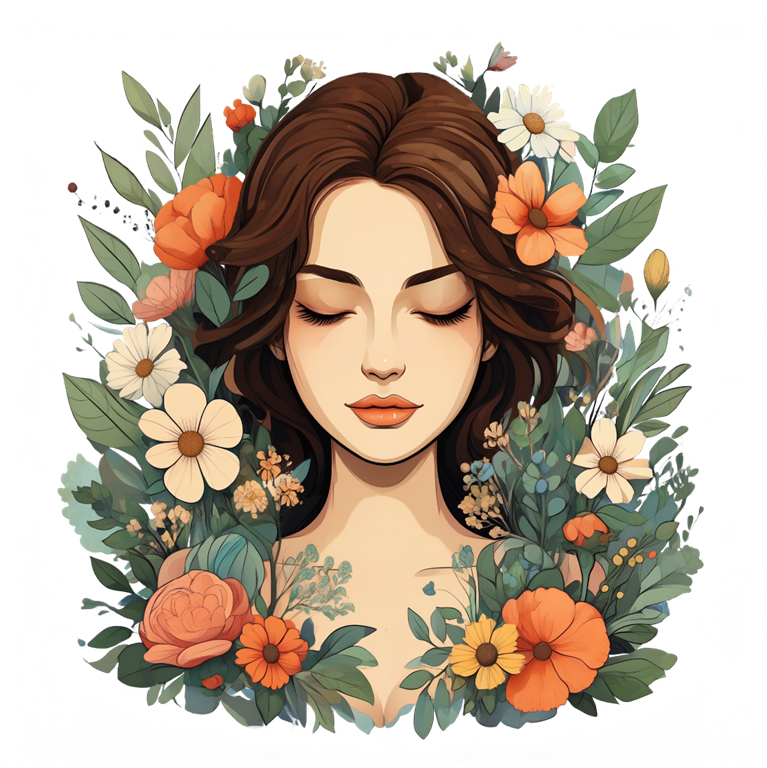
Example 2: A decorative illustration of a woman surrounded by flowers. Includes complex boundaries among hair, petals, and leaves.
Example 3: A businessperson using a laptop. A cutout illustration for web and presentation assets.

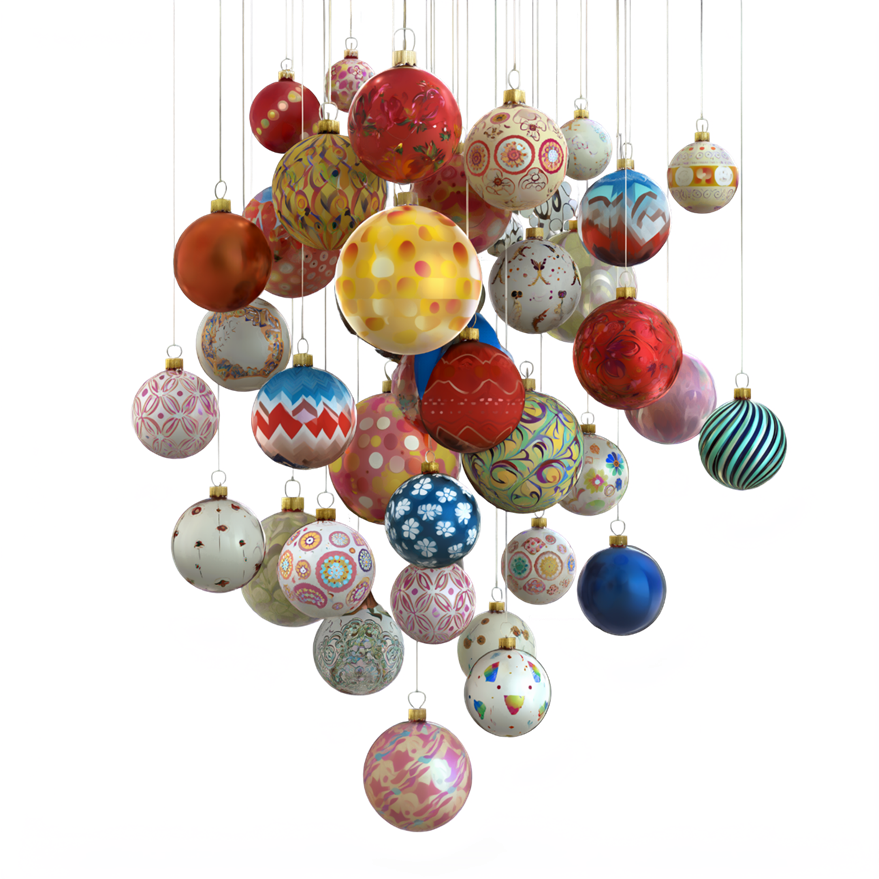
Example 4: Multiple hanging decorations. Integrates translucency, fine strings, and varied material textures into one image.
Example 5: A large group of dog characters. Demonstrates rendering many distinct subjects and a group composition.
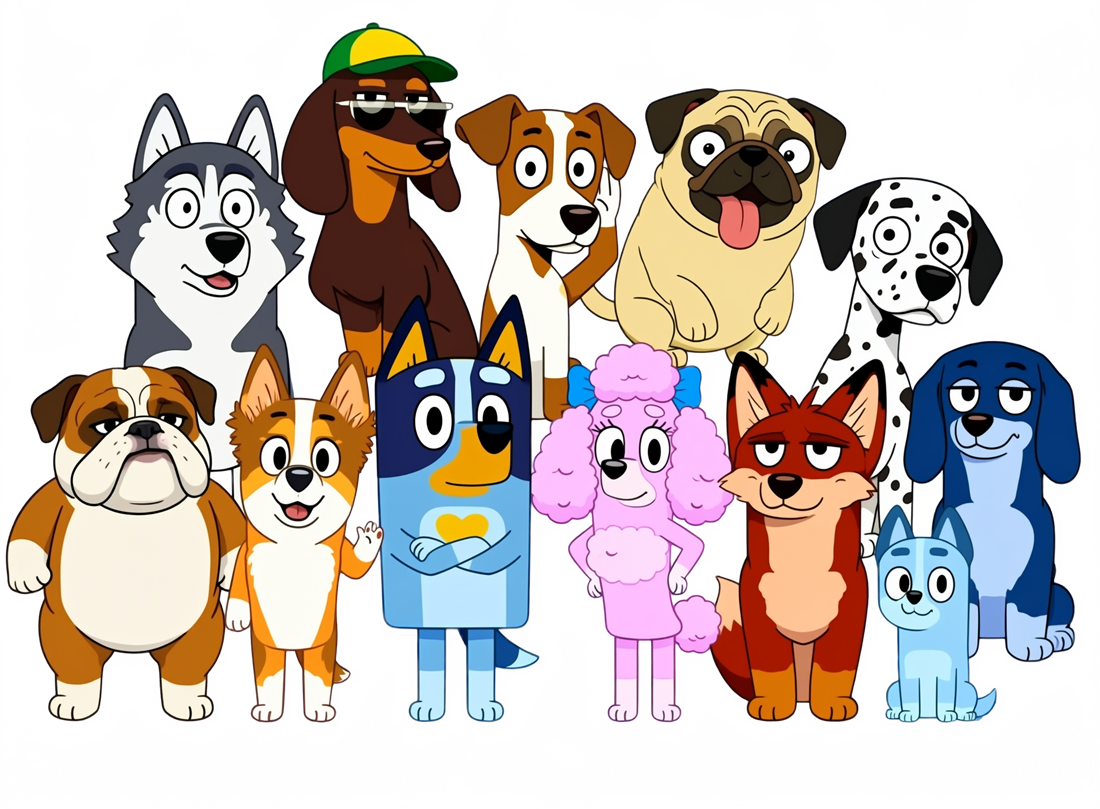
Image Editing and Text Replacement
Example 6: Original image of a tired office worker. A conditioning image for comparison with the following edit.

Example 7: Office worker with changed expression and mood. Changes the person’s emotion while preserving the layout.

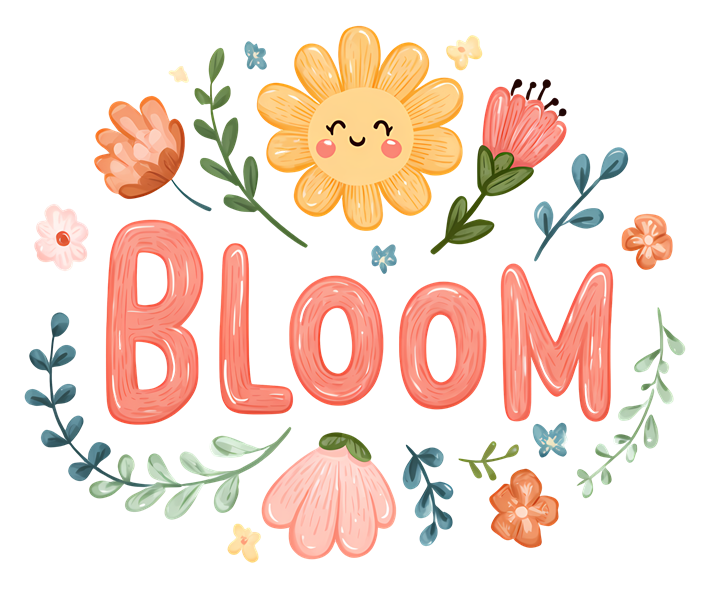
Example 8: Floral lettering reading “BLOOM.” A baseline example for text, decoration, and centered placement.
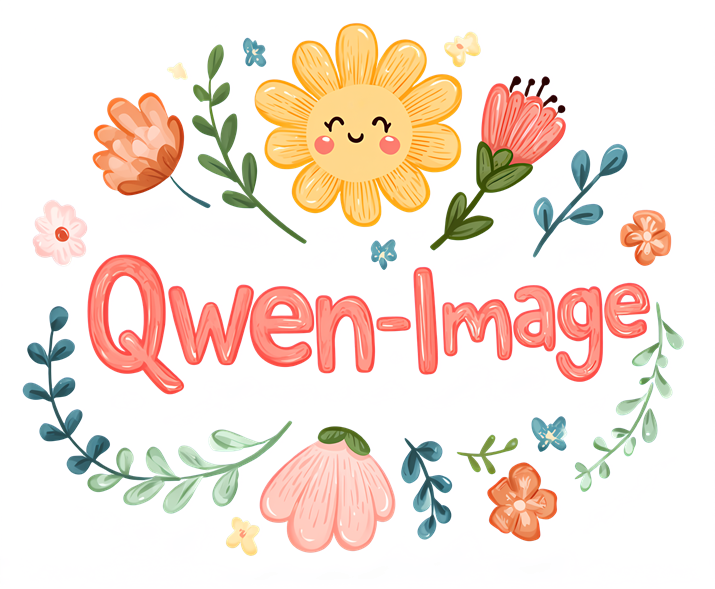
Example 9: Text replaced with “Qwen-Image.” Typography editing that preserves the floral style.
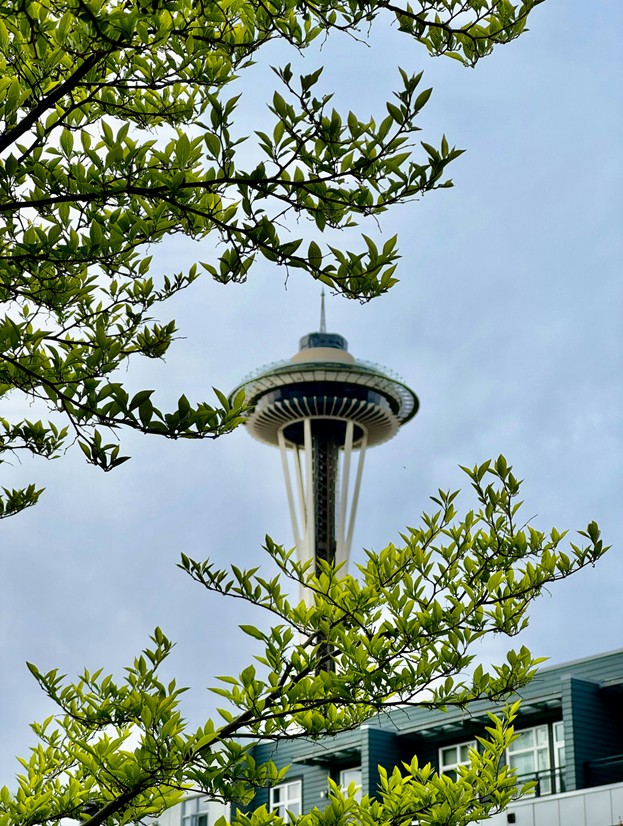
Example 10: Daytime tower photo. An input example for time-of-day and background editing.
Backgrounds, Time of Day, and Multiple People
Example 11: Flowering tree at night. Shows the ability to turn a daytime photo into a night scene or alter its atmosphere.
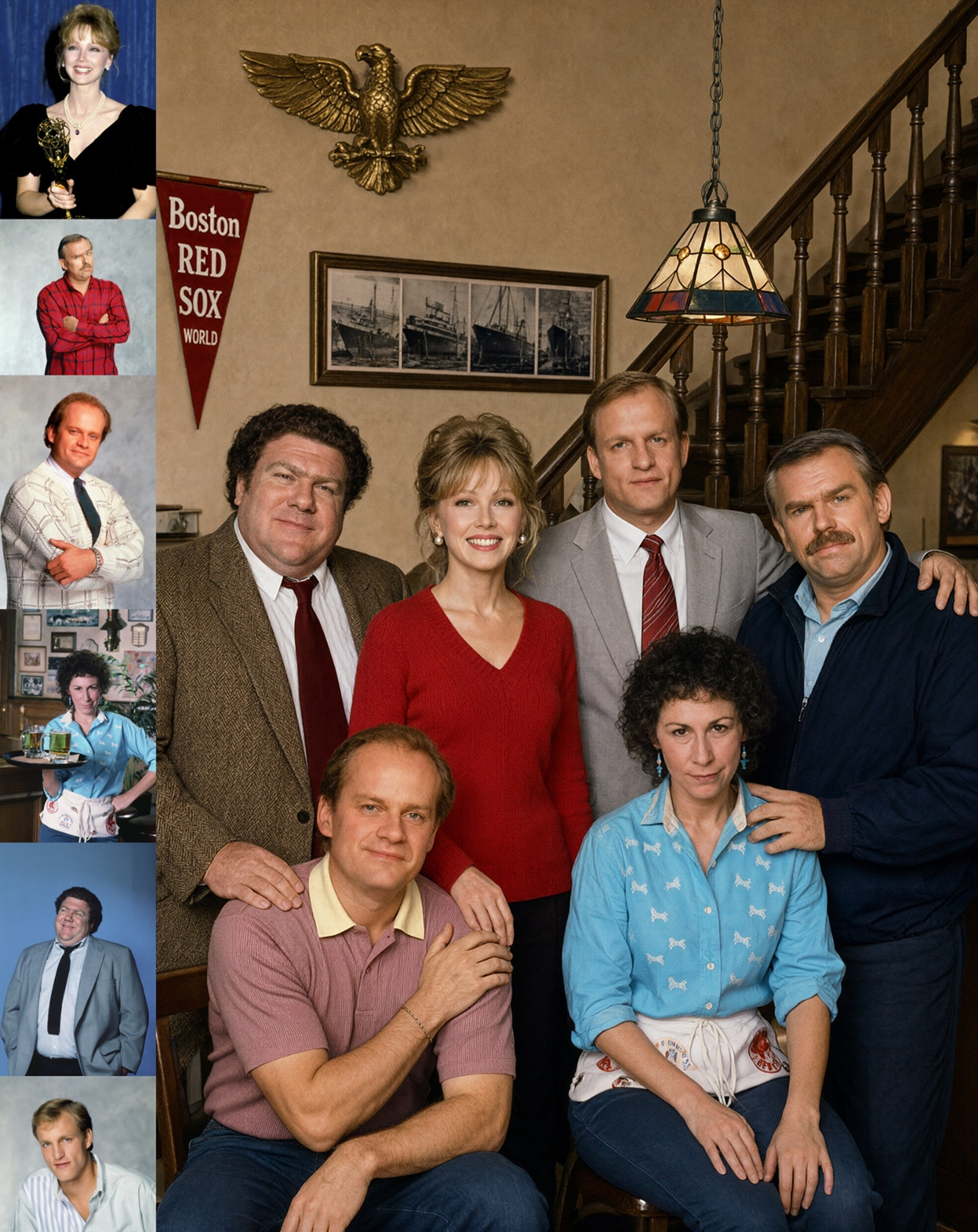
Example 12: Creating a group photo from multiple person references. Demonstrates the core capability of supporting up to 10 references.
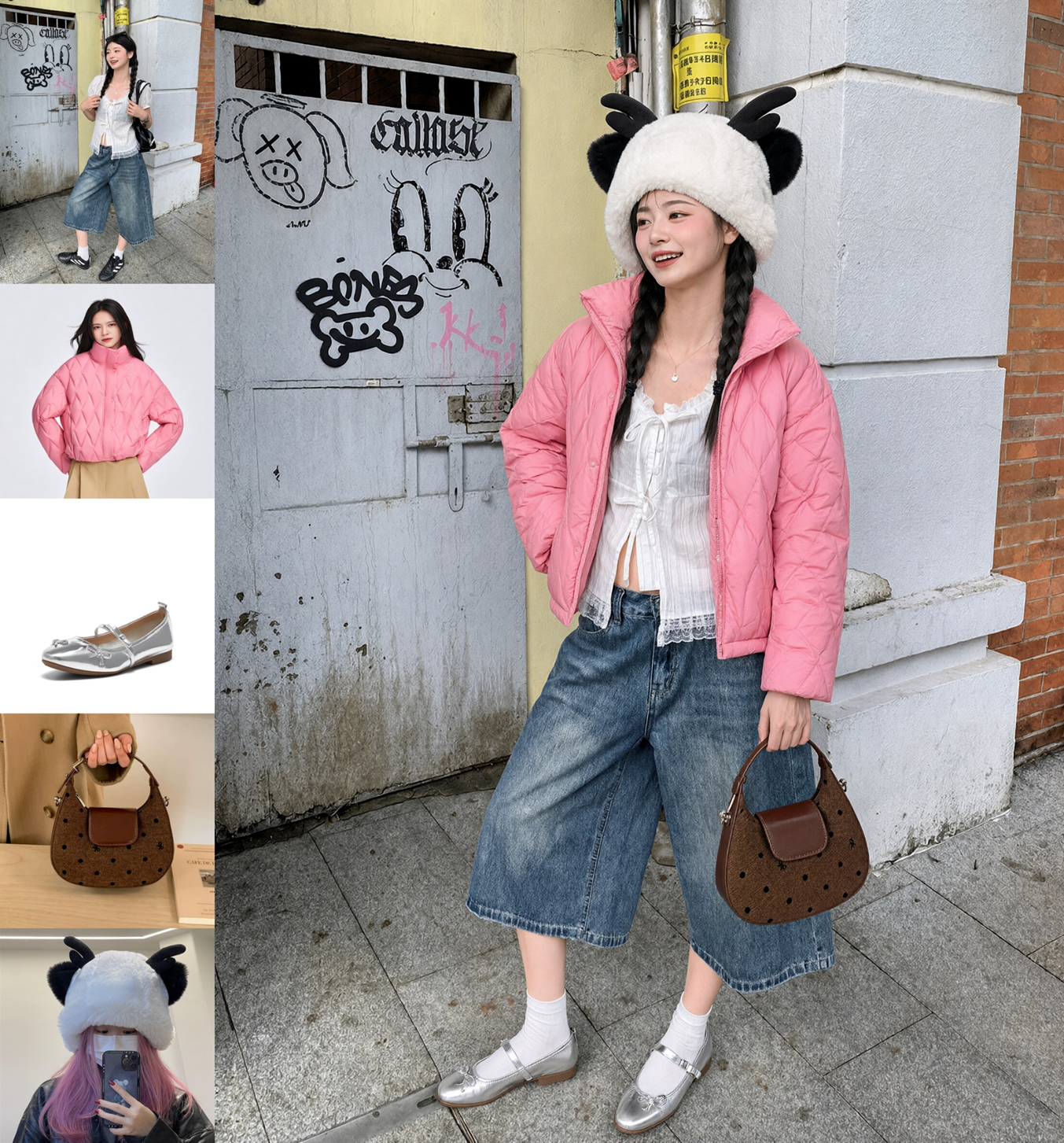
Example 13: Coordinating a person and clothes using multiple references. Similar in concept to virtual try-on.
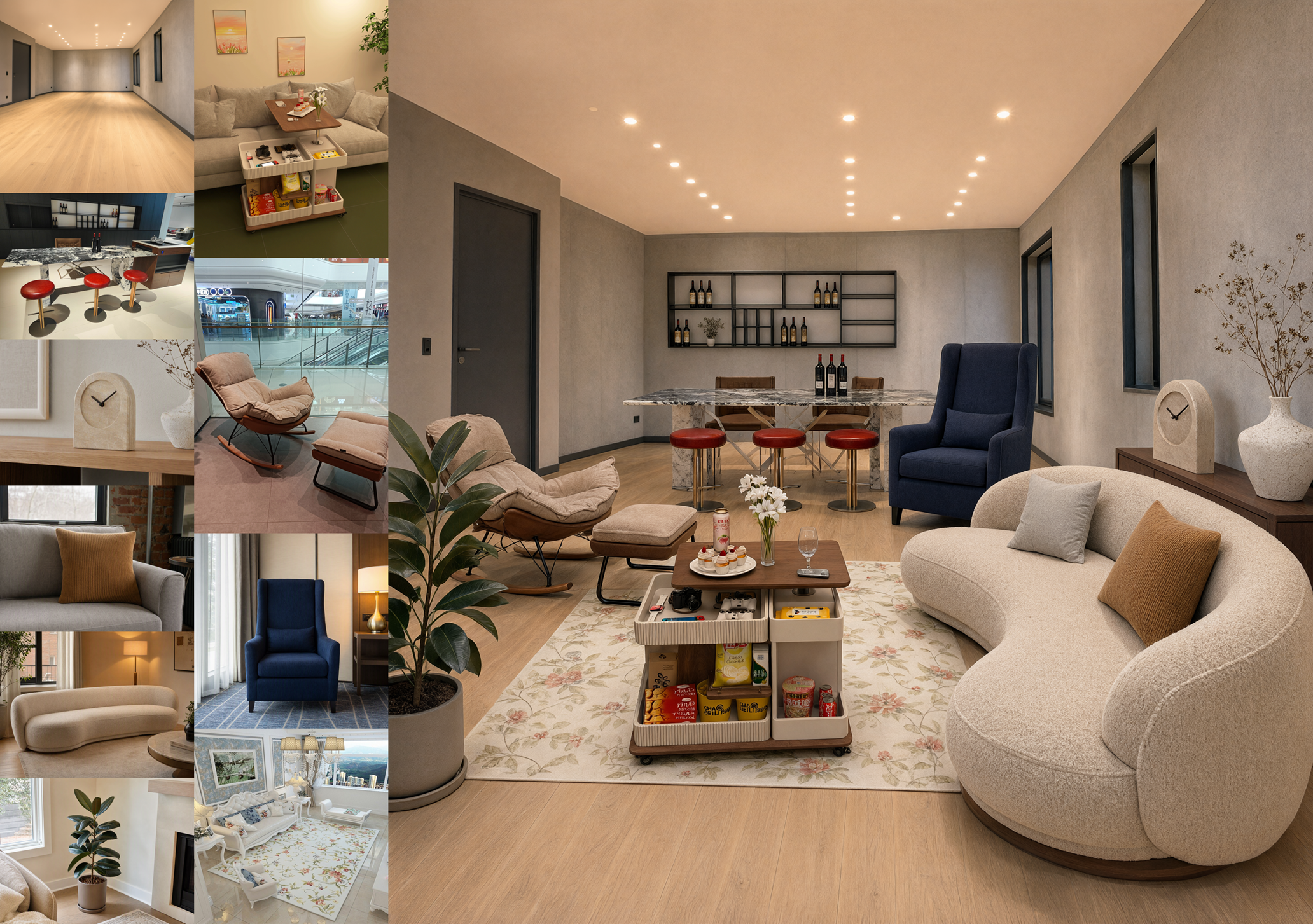
Example 14: Building an interior from many furniture images. A use case for arranging product-catalog items in a room.
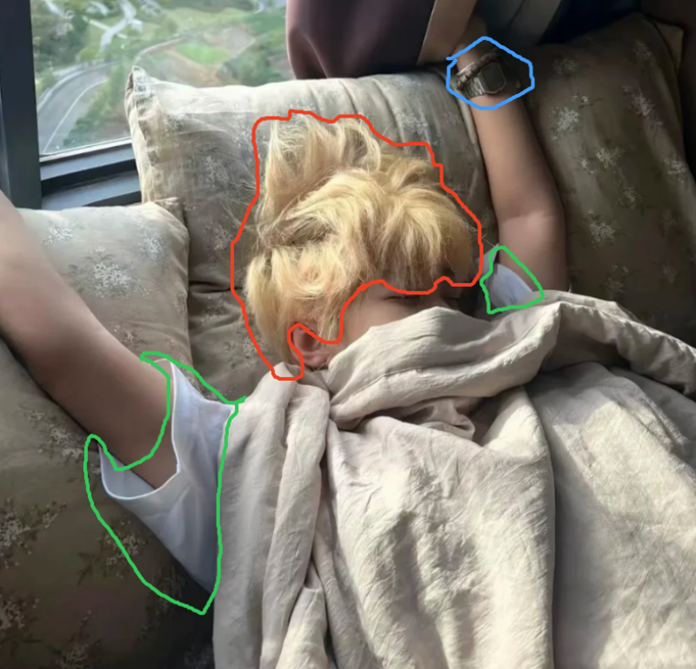
Example 15: Drawing colored instructions around a cat. An input using drawn annotations for local specification.
Local Editing, Masks, and Compositing
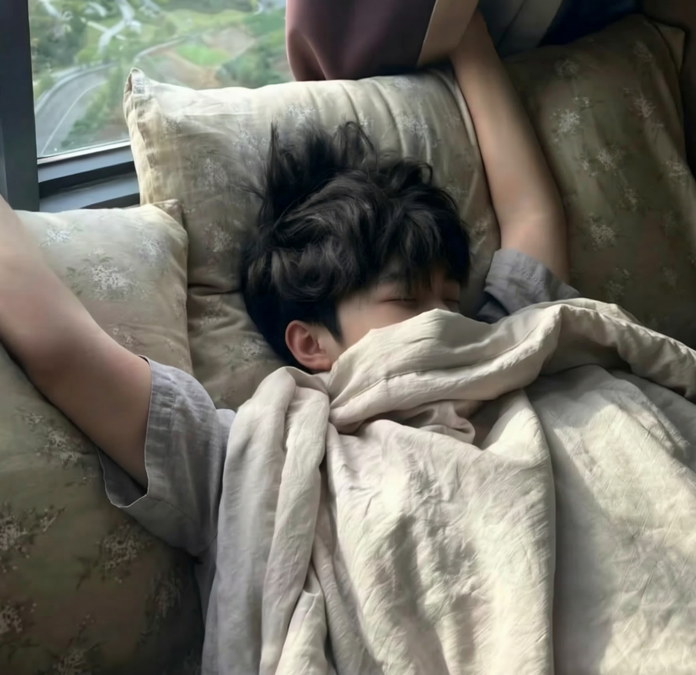
Example 16: Changing only the specified cat. Replaces the subject while preserving the bedding and person.
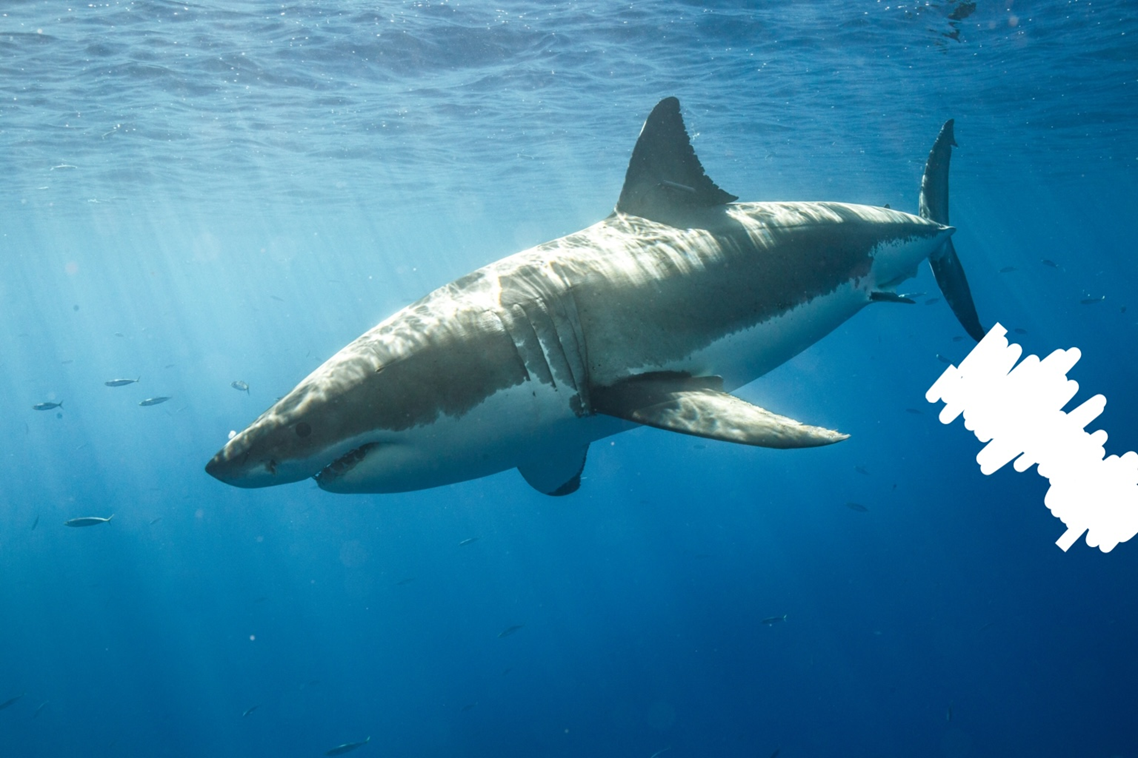
Example 17: An underwater shark with local instructions. An editing input drawn directly on the target object.
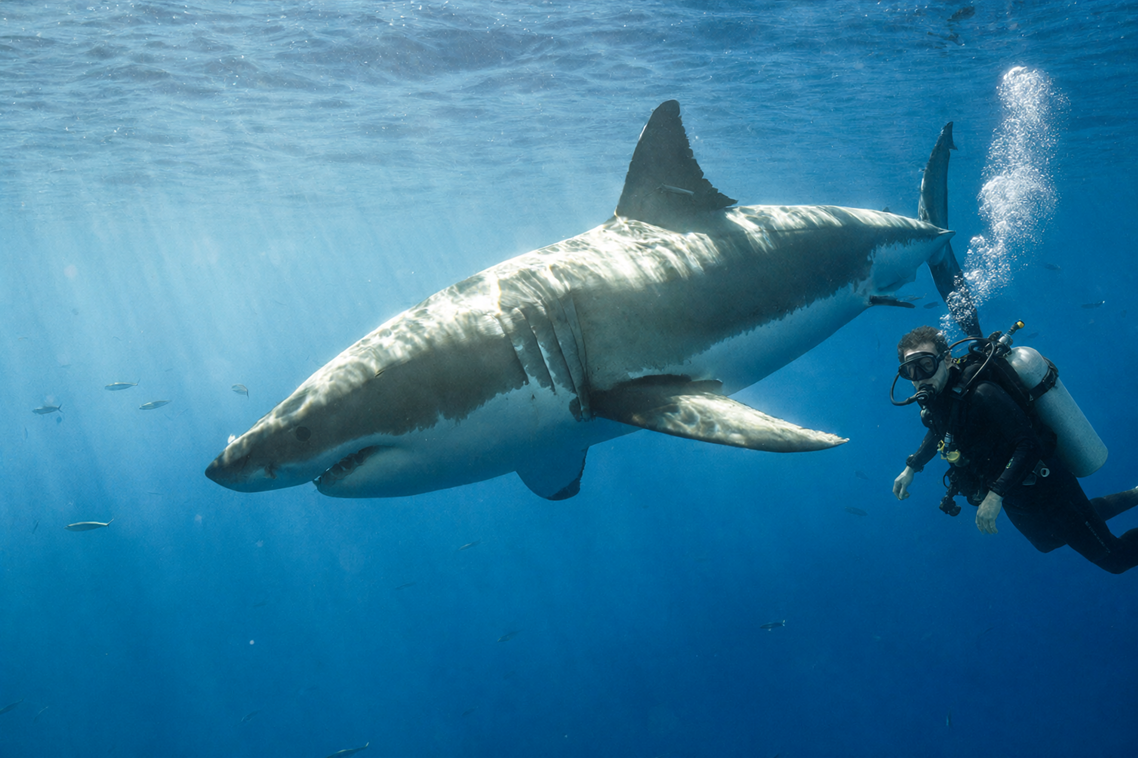
Example 18: Underwater scene with a diver added. A composite matching underwater light and scale.
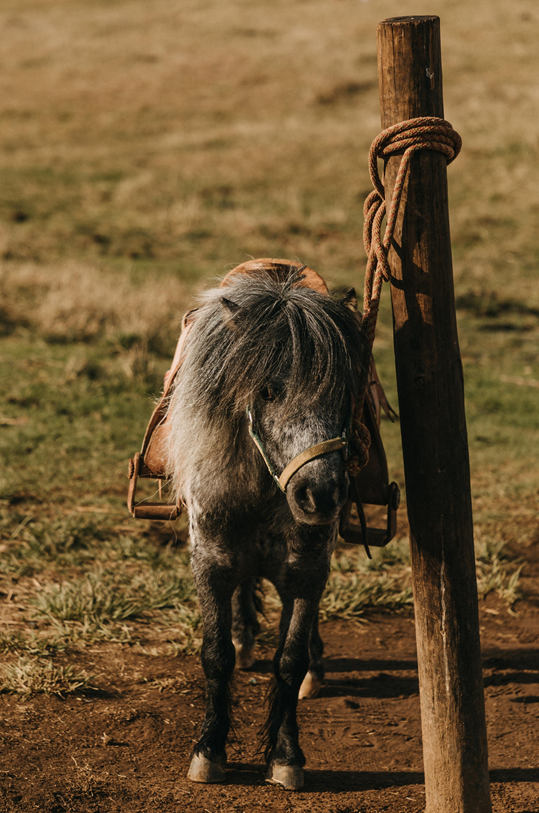
Example 19: Original image of a person riding a donkey. A photo used as the basis for mask editing.
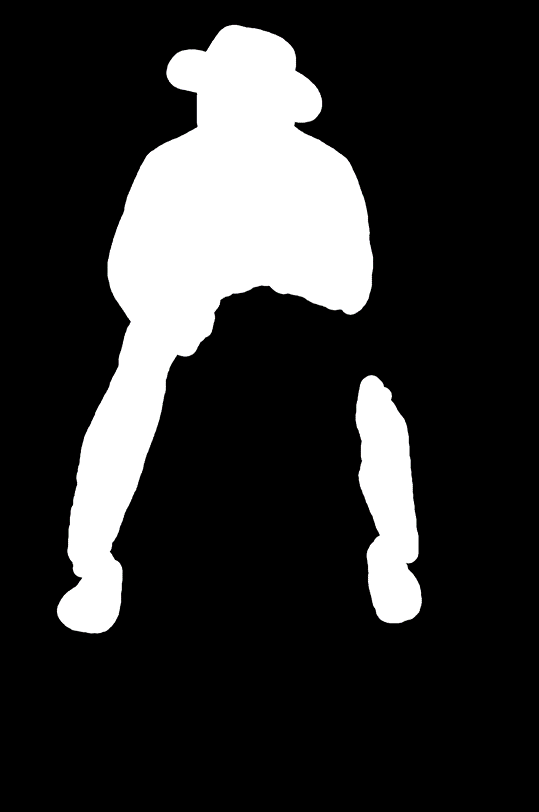
Example 20: Mask marking the person and donkey. An alternative approach that explicitly identifies edit regions in black and white.
Repositioning People and Preserving Faces
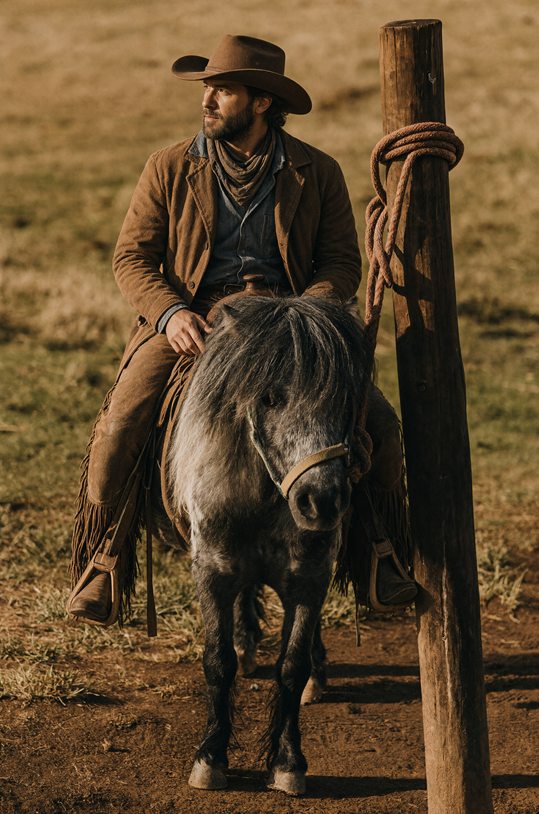
Example 21: Result of mask-based person editing. Also allows comparison of consistency with the grassy background.
Example 22: Portrait used as a face reference. A baseline image for the next full-body image in a new setting.
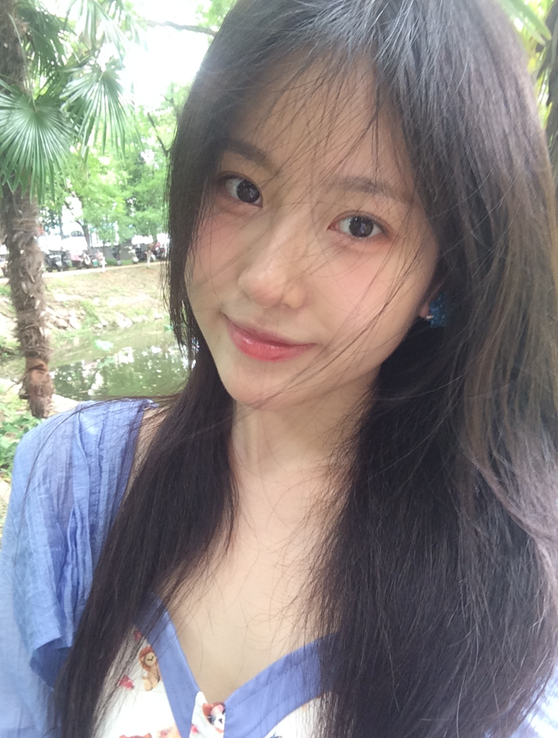
Example 23: Expanding the referenced person into an outdoor full-body photo. Transfers the face and clothing into a new composition.
Example 24: Near-frontal face photo. Input condition for hairstyle editing.
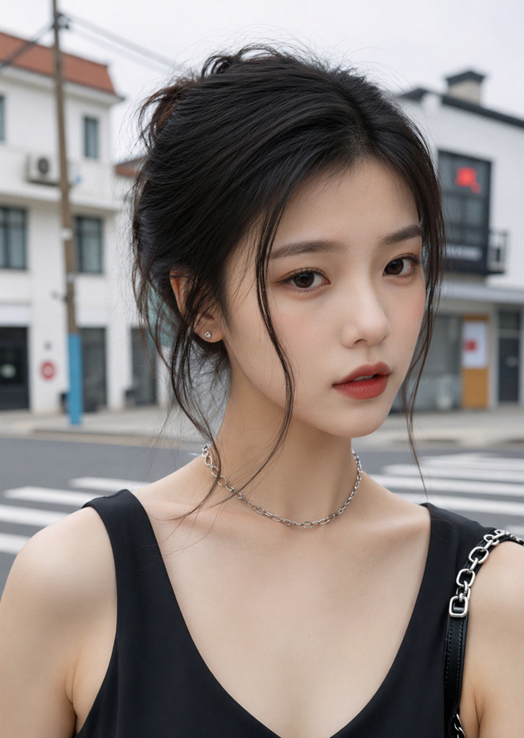
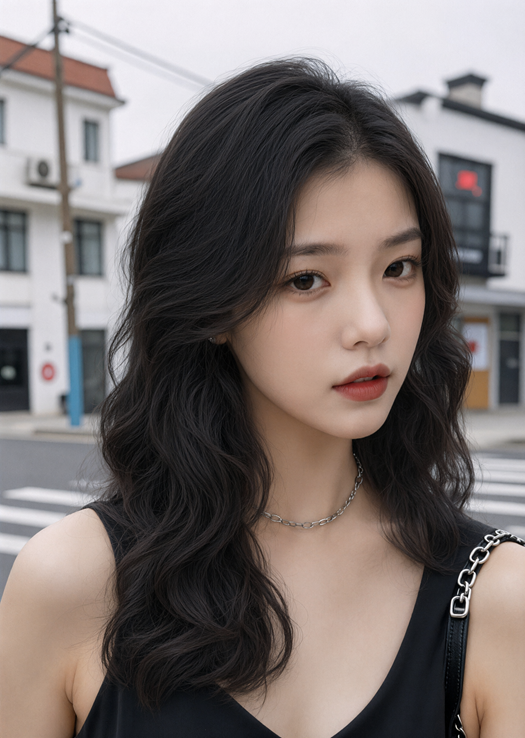
Example 25: Face photo with changed hairstyle. Keeps facial features and background while making only the hair longer.
Poses, Scenes, and Product Photography
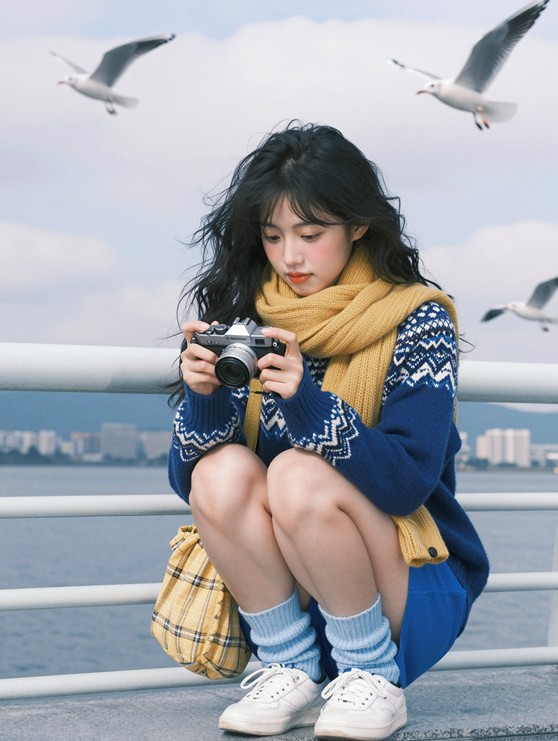
Example 26: Person crouching at a harbor. Includes a complex pose, props, and a distant background.
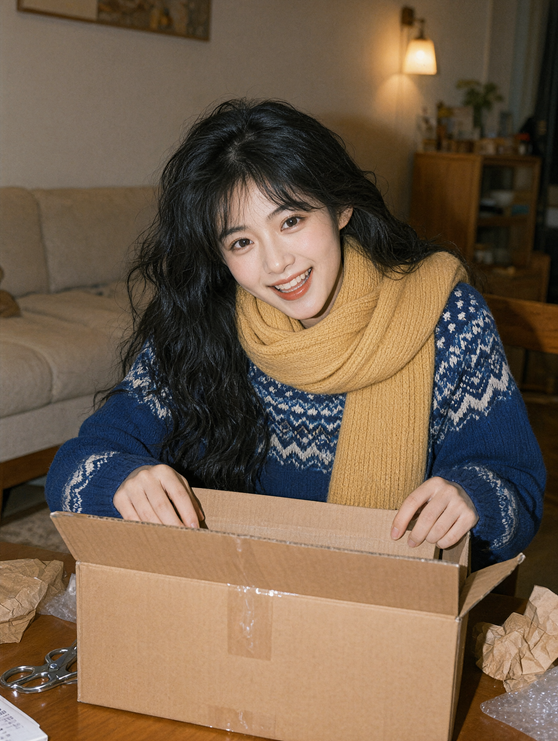
Example 27: Person opening a box indoors. A composition for assessing fingers, a box, and overlapping body parts.
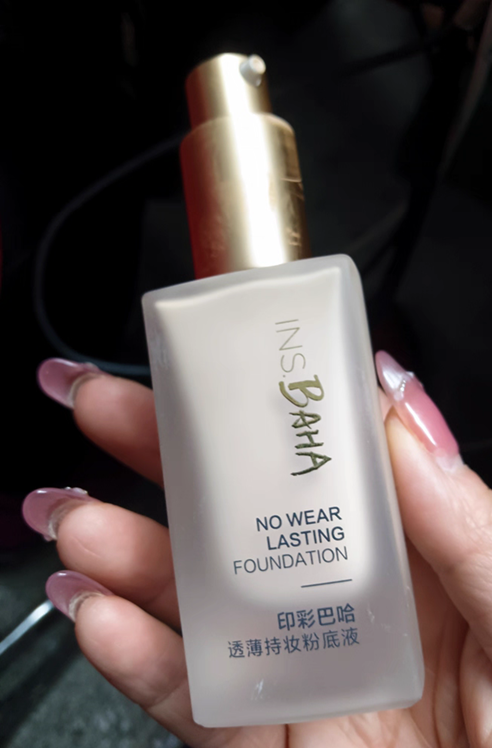
Example 28: Cosmetics held in a hand. A product photo containing label text and finger contact.
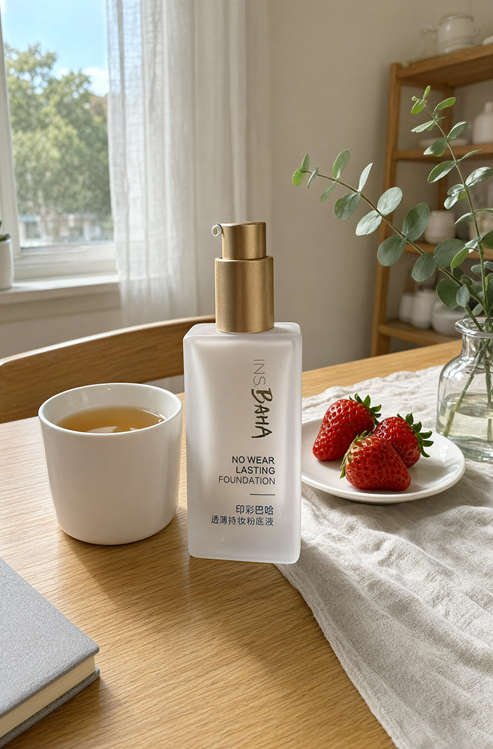
Example 29: Transforming cosmetics into an indoor product shot. Adds natural light, a table, and food props.
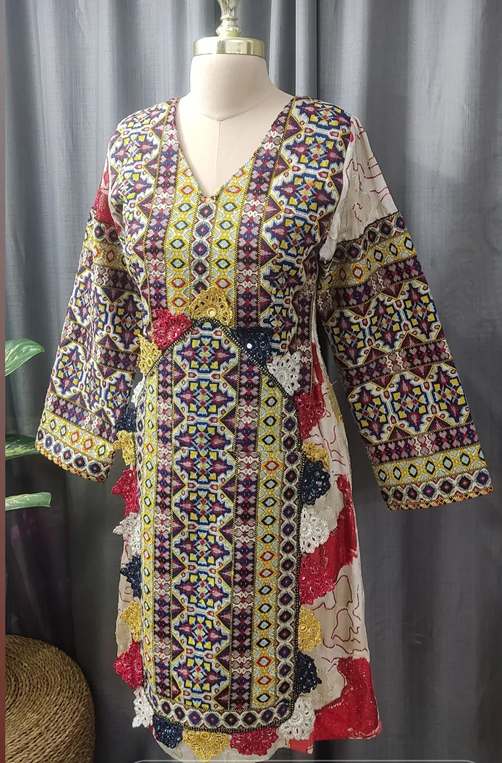
Example 30: Clothing displayed on a mannequin. A product reference for the next virtual try-on generation.
Virtual Try-On and Wearable Compositing
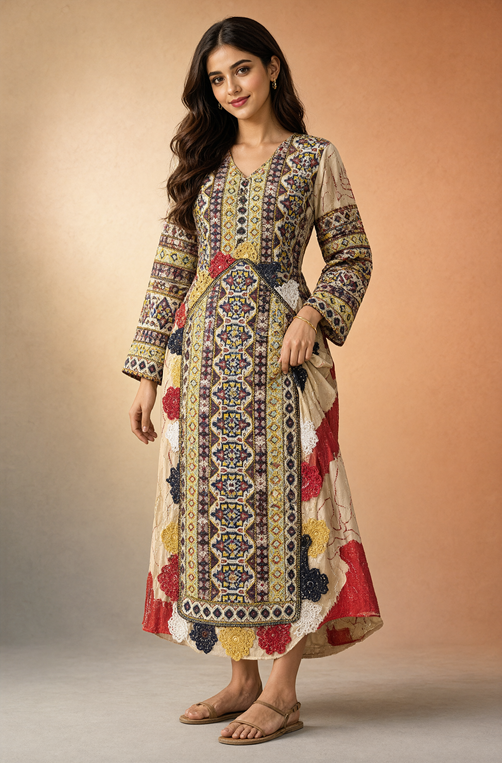
Example 31: Dressing a person in referenced clothing. Fits the pattern, length, and silhouette to the body.
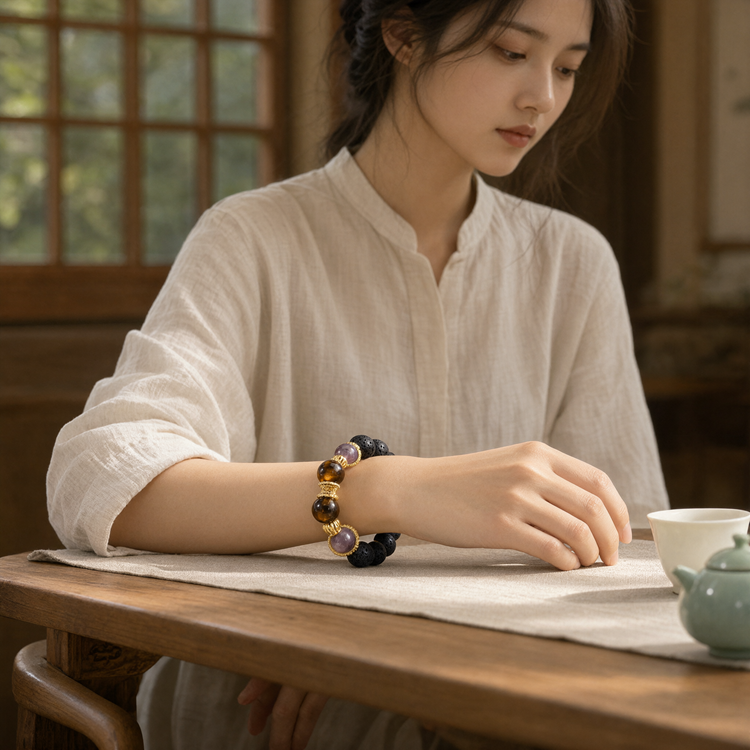
Example 32: Standalone bracelet product photo. A conditioning image for wearable compositing.
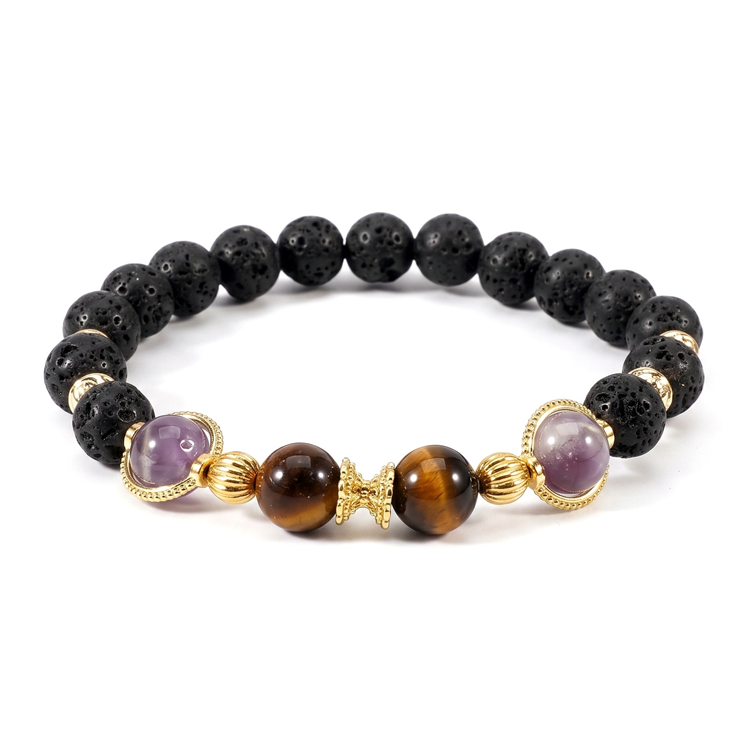
Example 33: Putting the bracelet on a person’s wrist. Naturally matches skin contact and shadows.
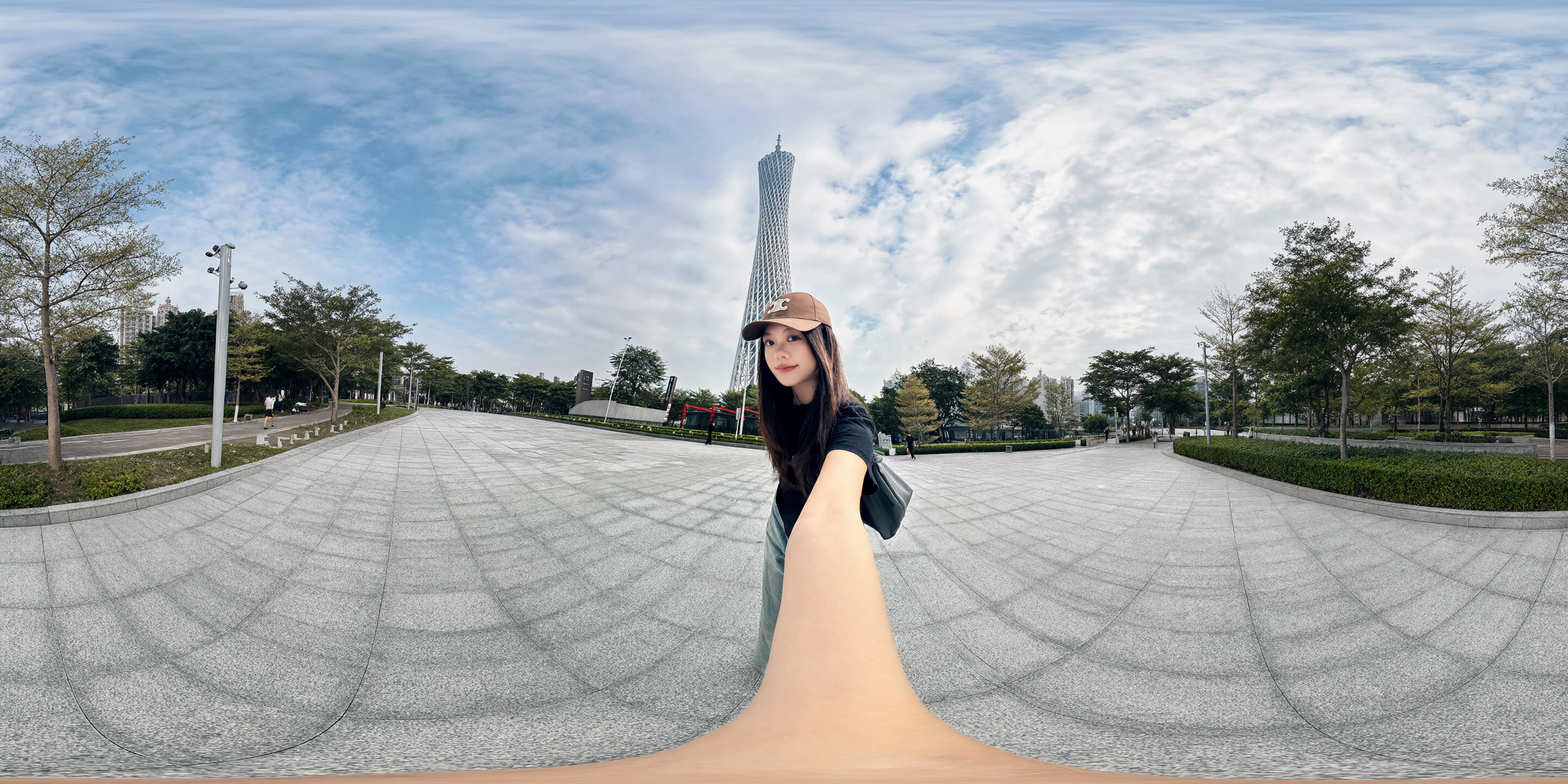
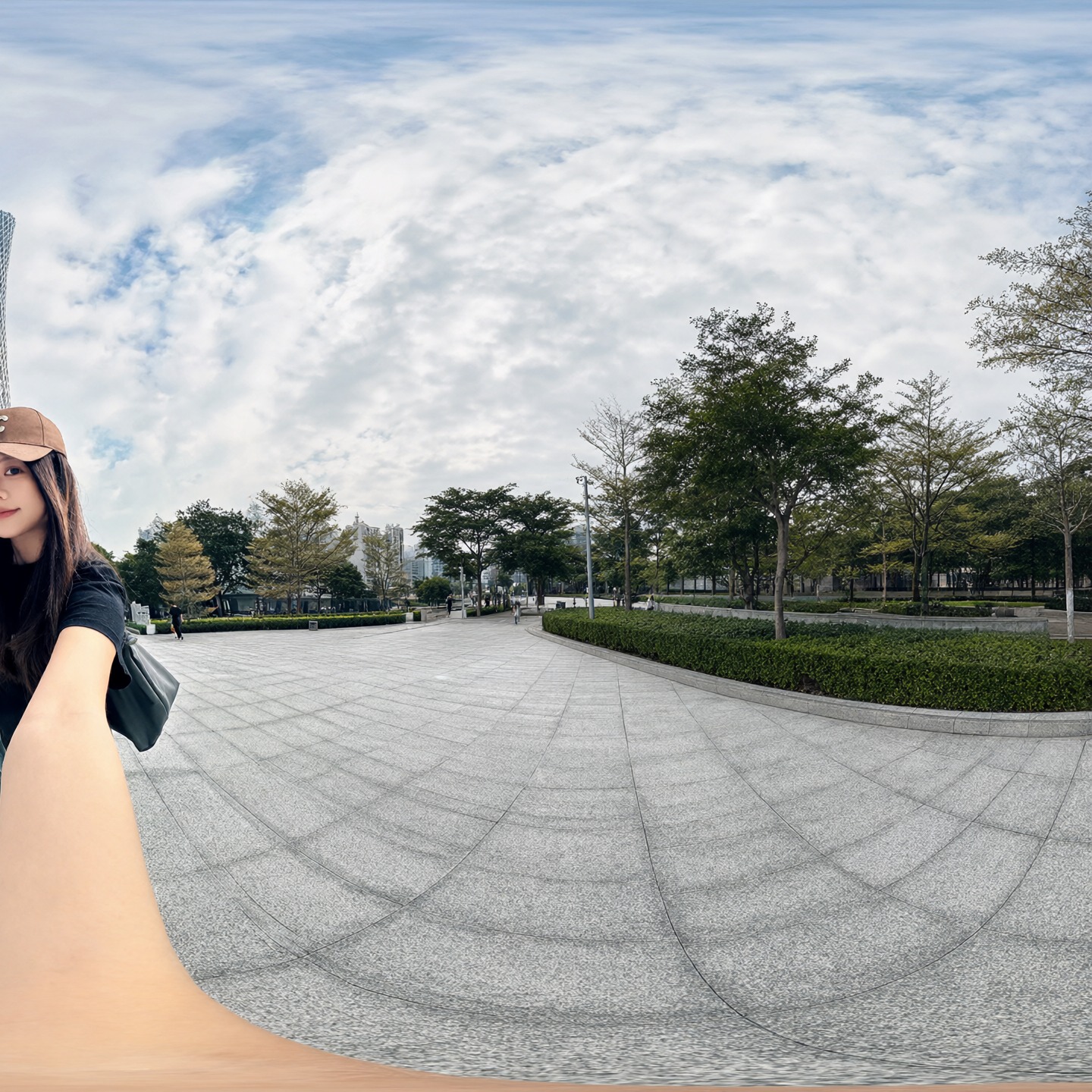
Example 34: Selfie in front of a tower. An input photo for changing viewpoint.
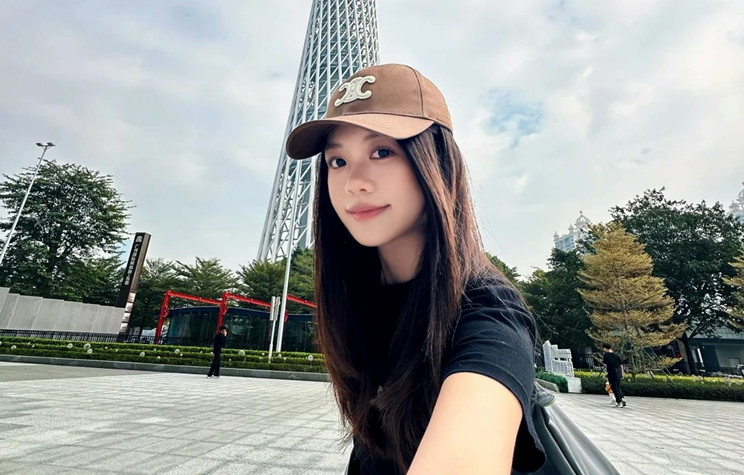
Example 35: From a selfie to a third-person viewpoint. Reconstructs the same person and place with a wider field of view.
Character Sheets and Continuity
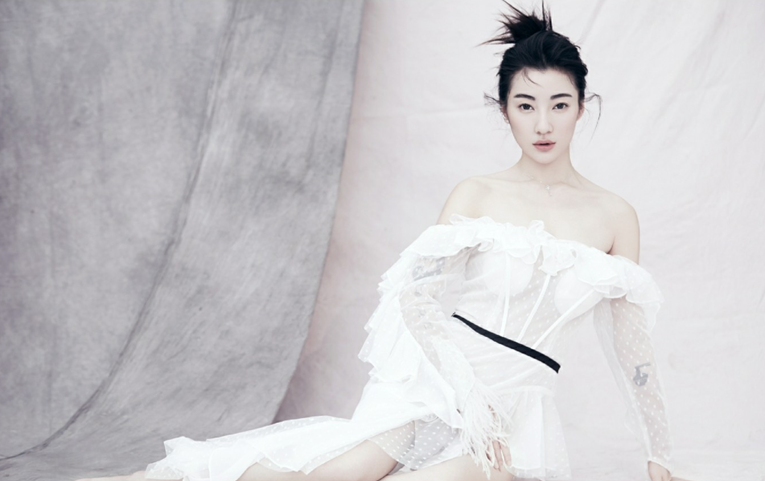
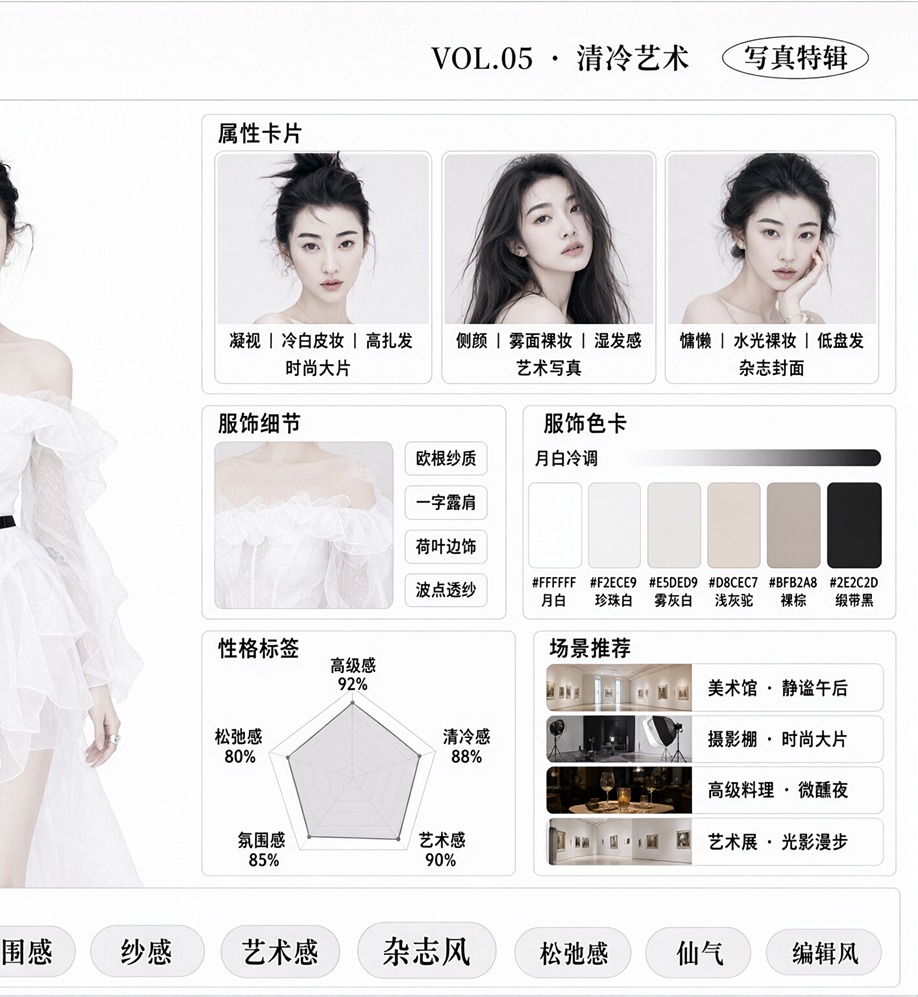
Example 36: Portrait of a person in white clothing. Input for character-setting material.
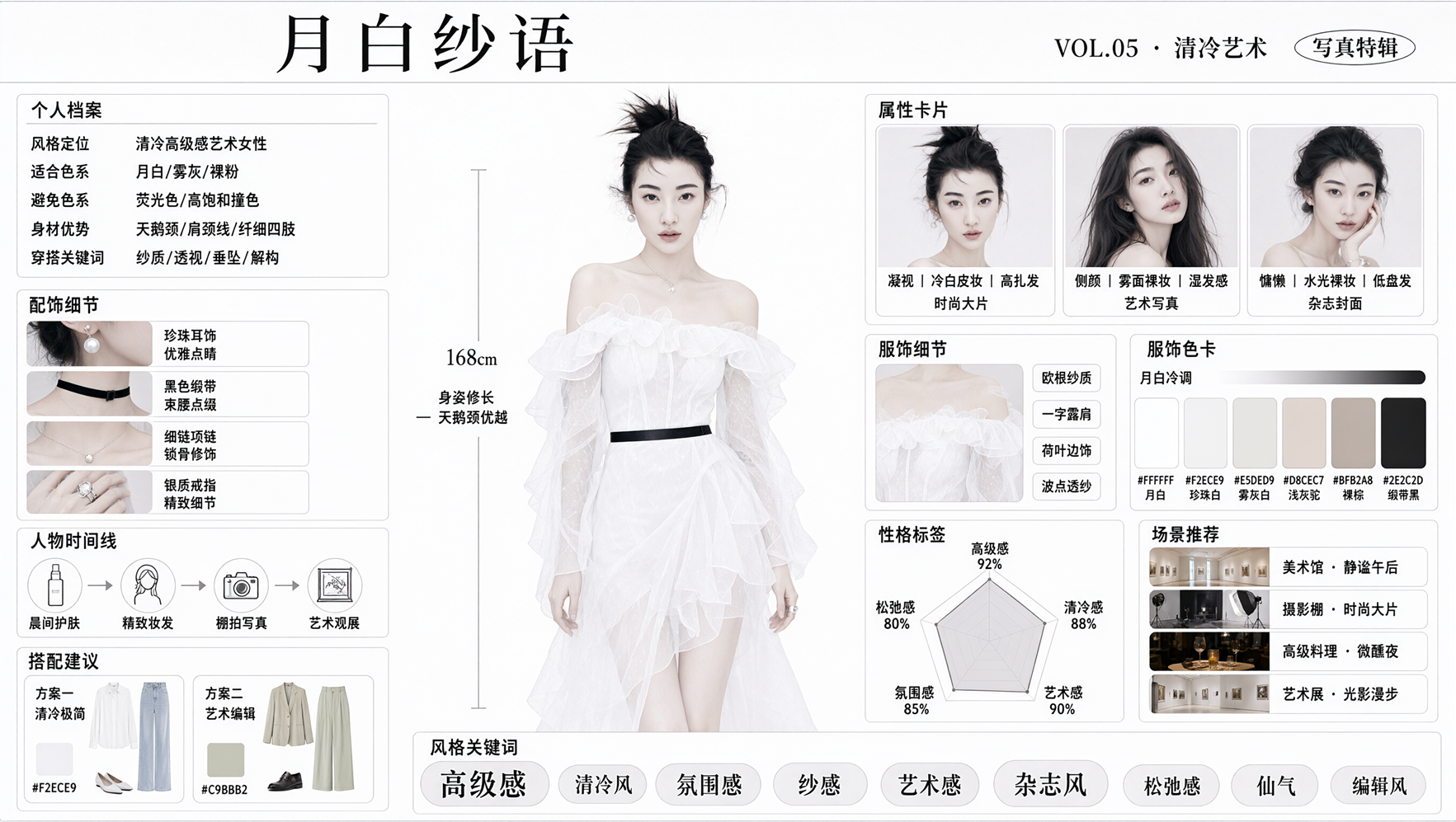
Example 37: Design sheet compiling a character profile in one image. Integrates face, clothing, props, and textual information.
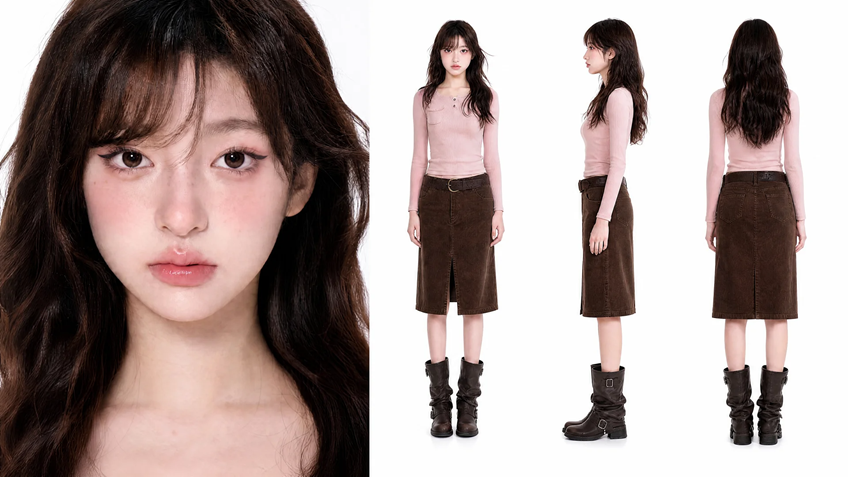
Example 38: Character sheet including front, side, and rear views. Suitable as reference material for video or comics.
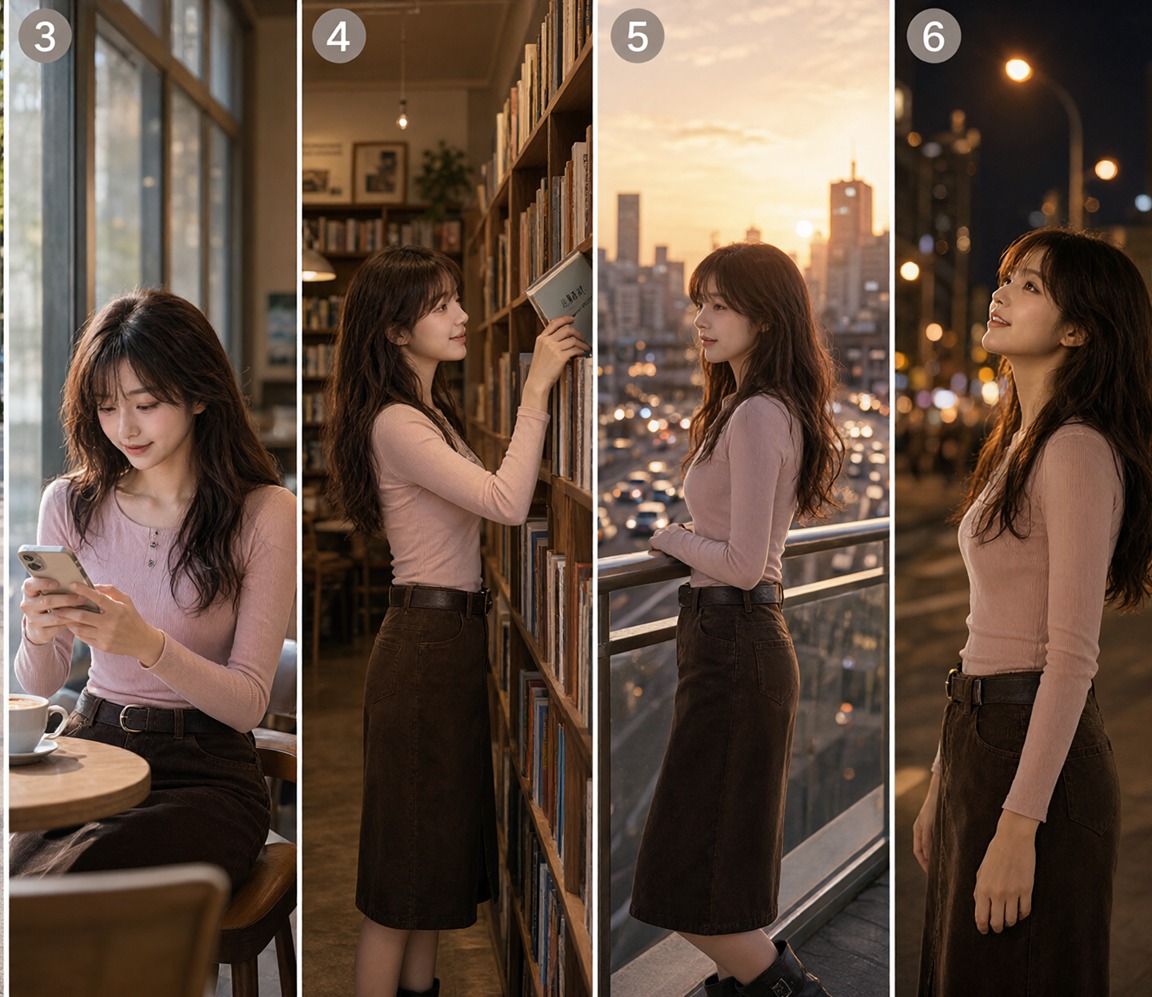
Example 39: Placing the same person in multiple scenes. Tests preservation of face and clothing as pose and location change.
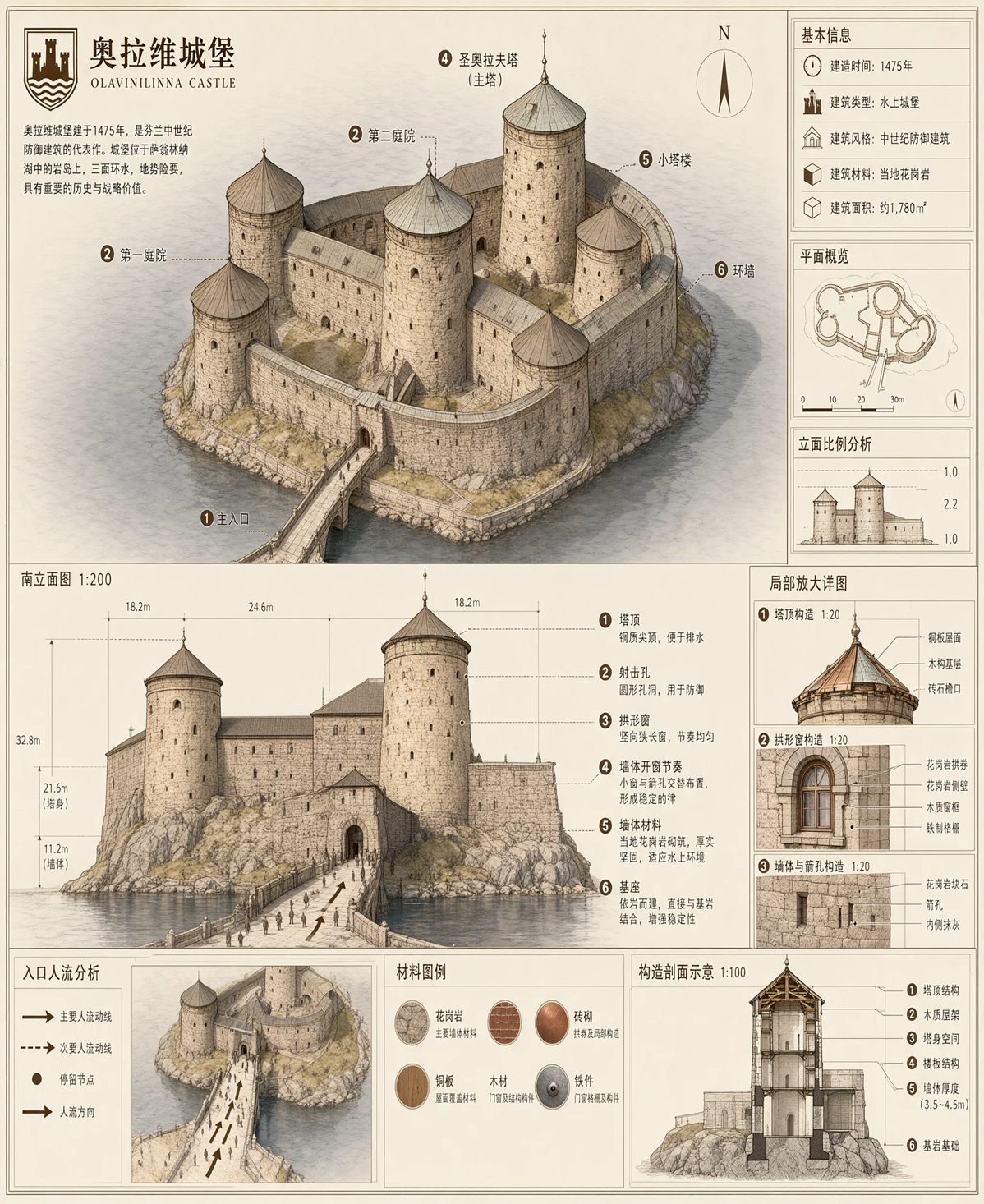
Example 40: Architectural explanatory diagram. Document generation that integrates text, diagrams, material swatches, and annotations in one image.
UI, Documents, and Natural Portrait Photos
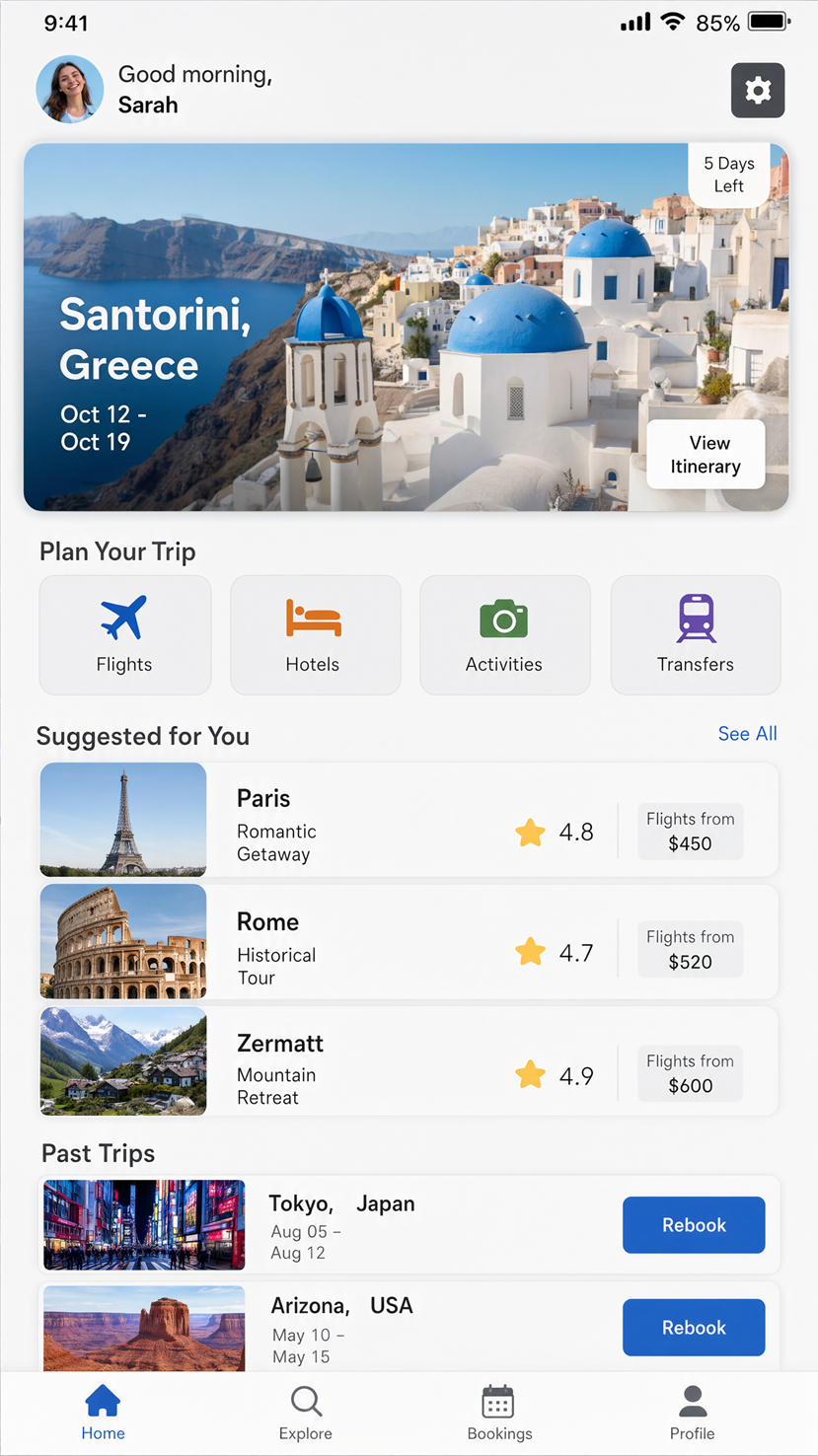
Example 41: Travel-booking app UI. Screen design containing small text, cards, photos, and buttons.
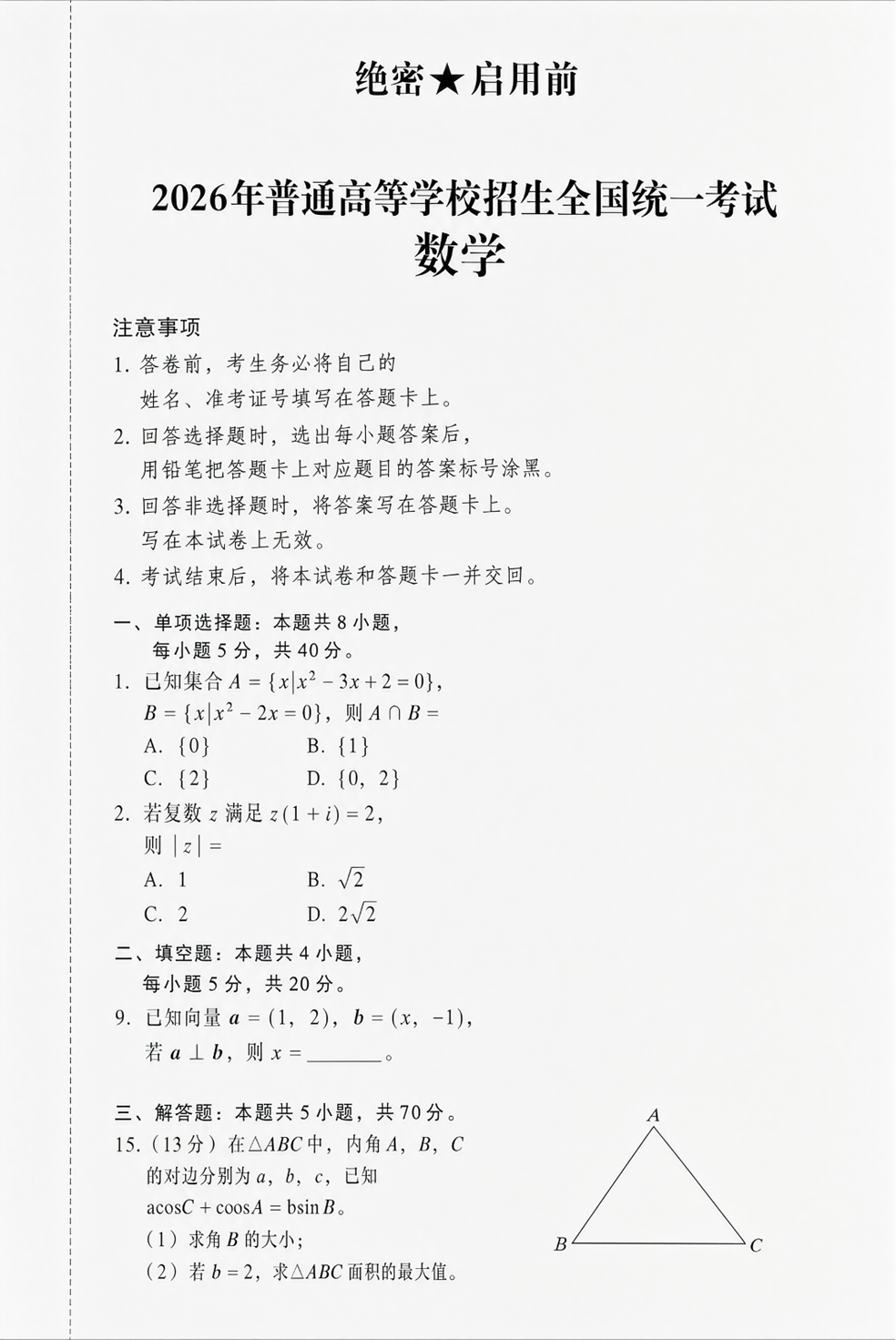
Example 42: Document containing a geometry problem. Shows the difficulty of generating a page containing long text and shapes.
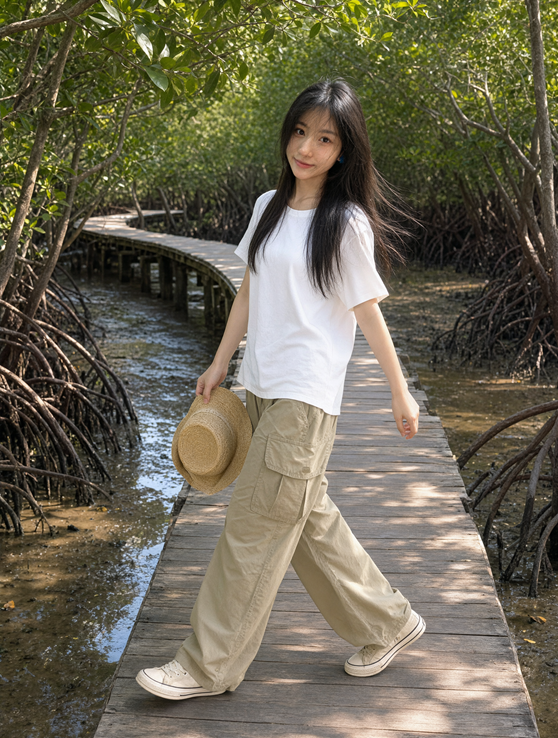
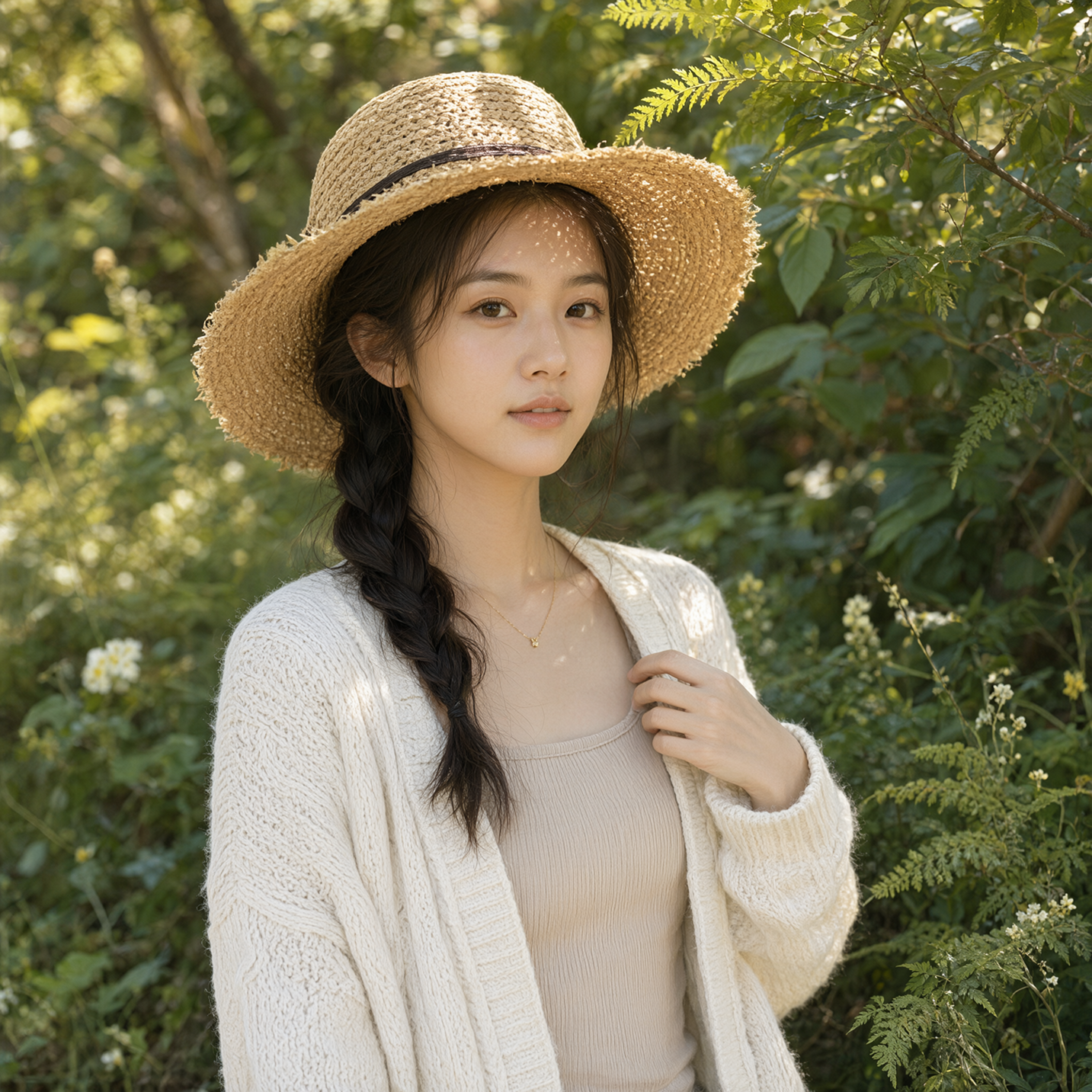
Example 43: Outdoor portrait in natural light. Depicts a hat, hair, and dappled sunlight.
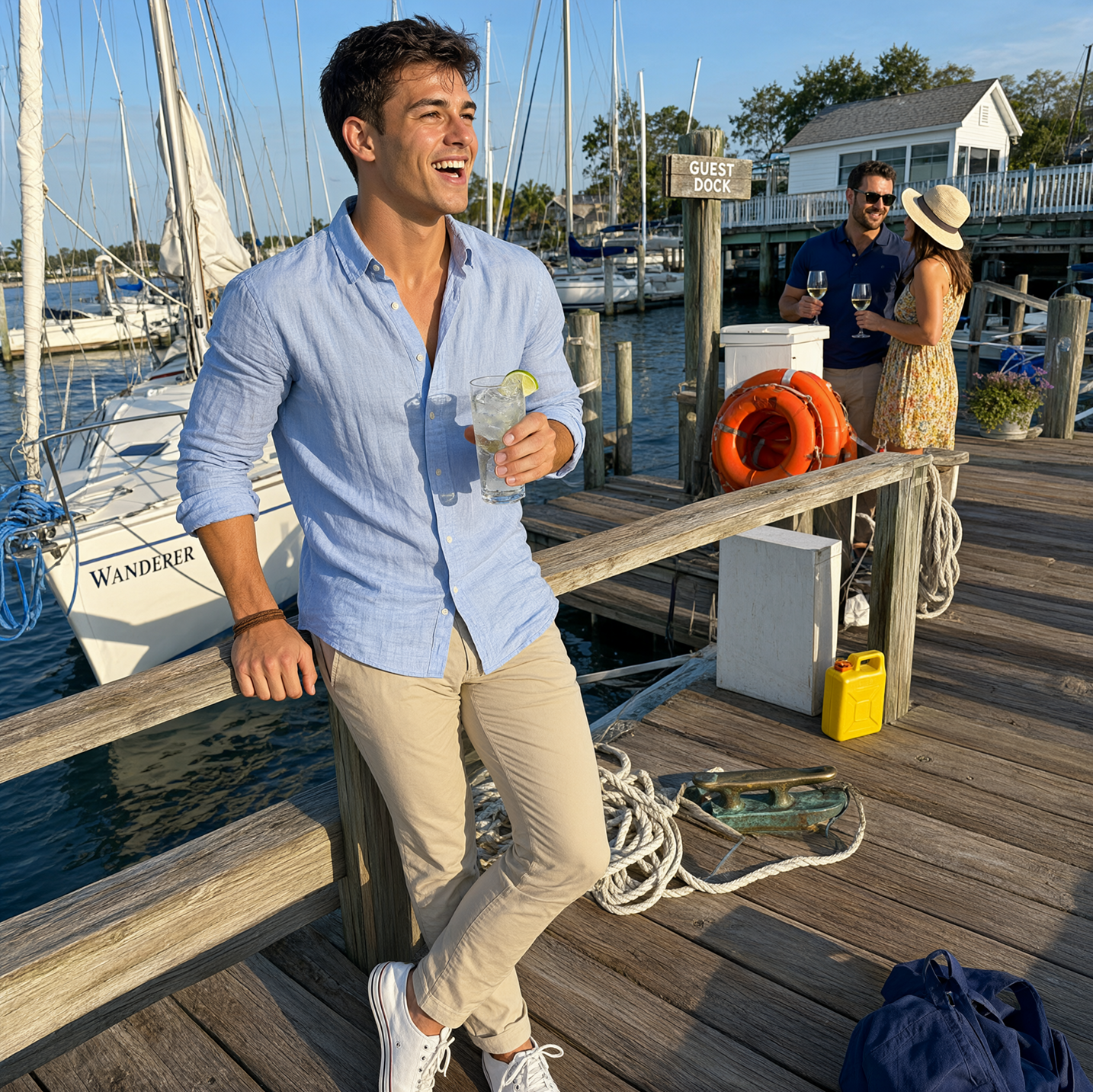
Example 44: Portrait photo at a marina. A photorealistic example with detailed background elements such as ropes, boats, and tools.
Enlargements and Alternate Views for Easier Comparison
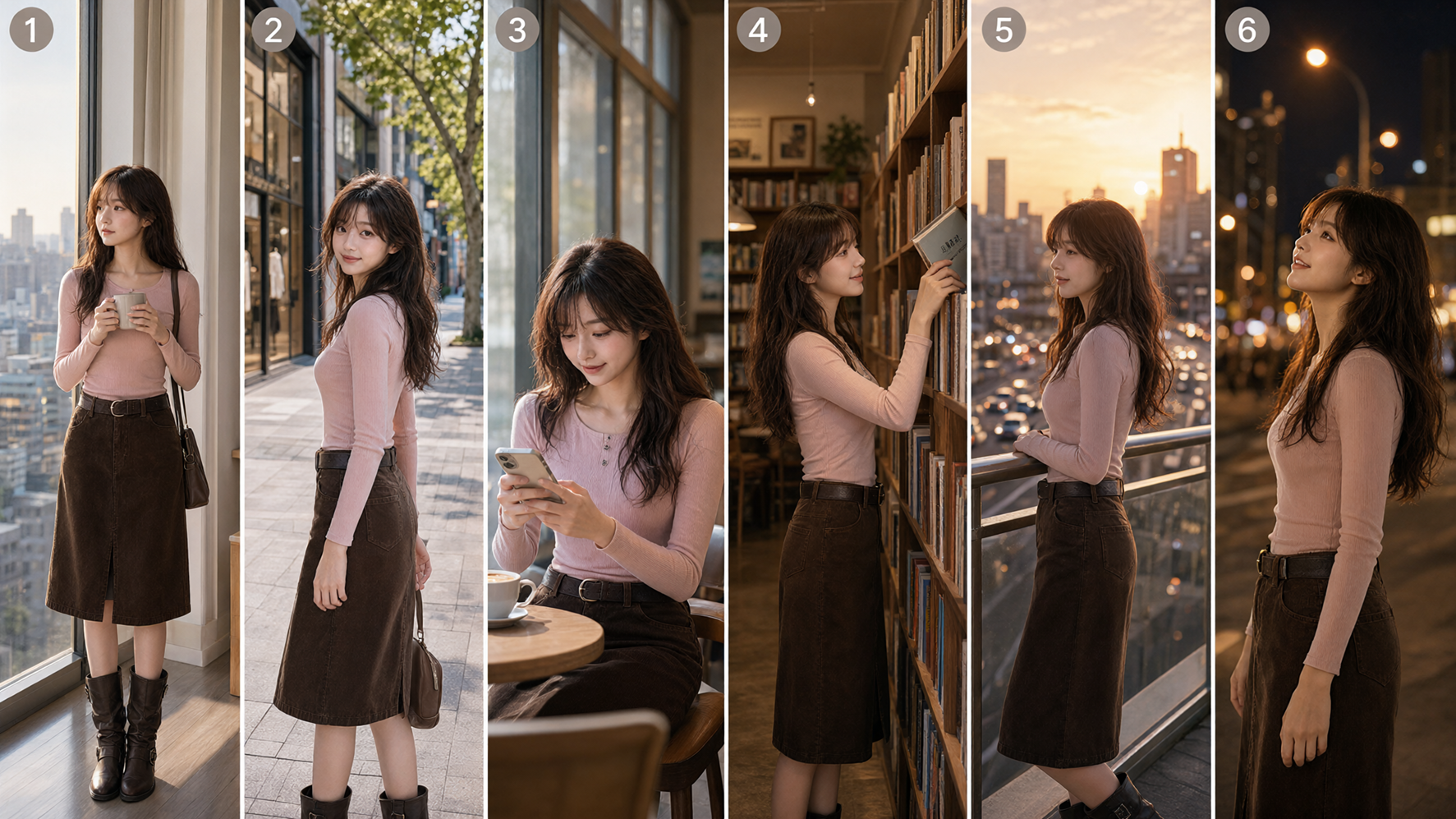
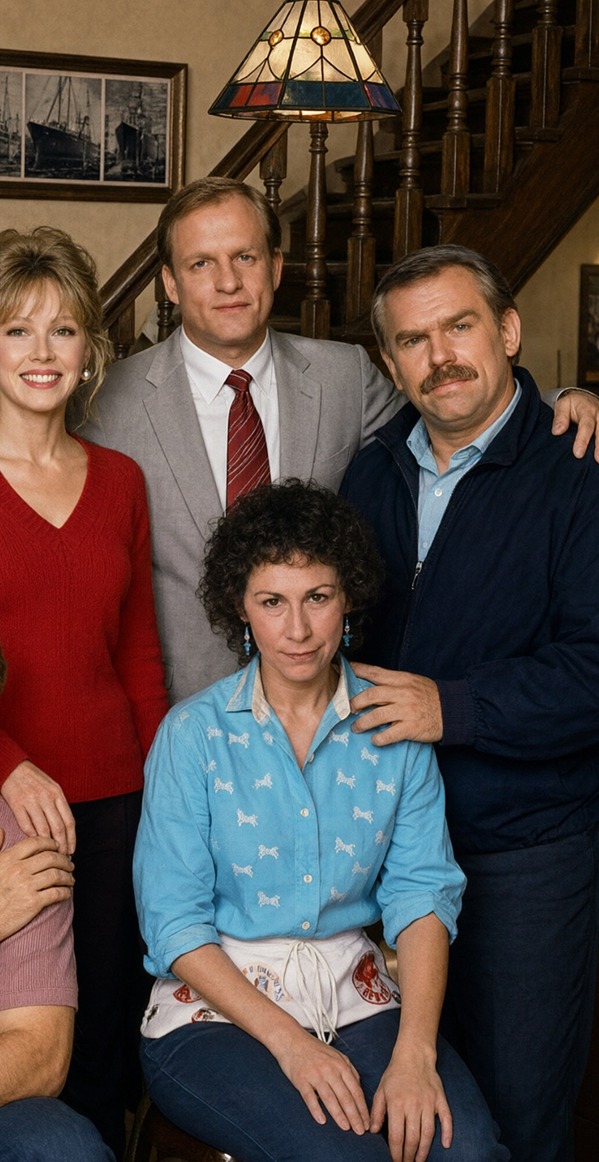
Example 45: Enlarged section of the group-photo result. Lets you inspect faces, poses, and lighting when multiple references are combined into one space.
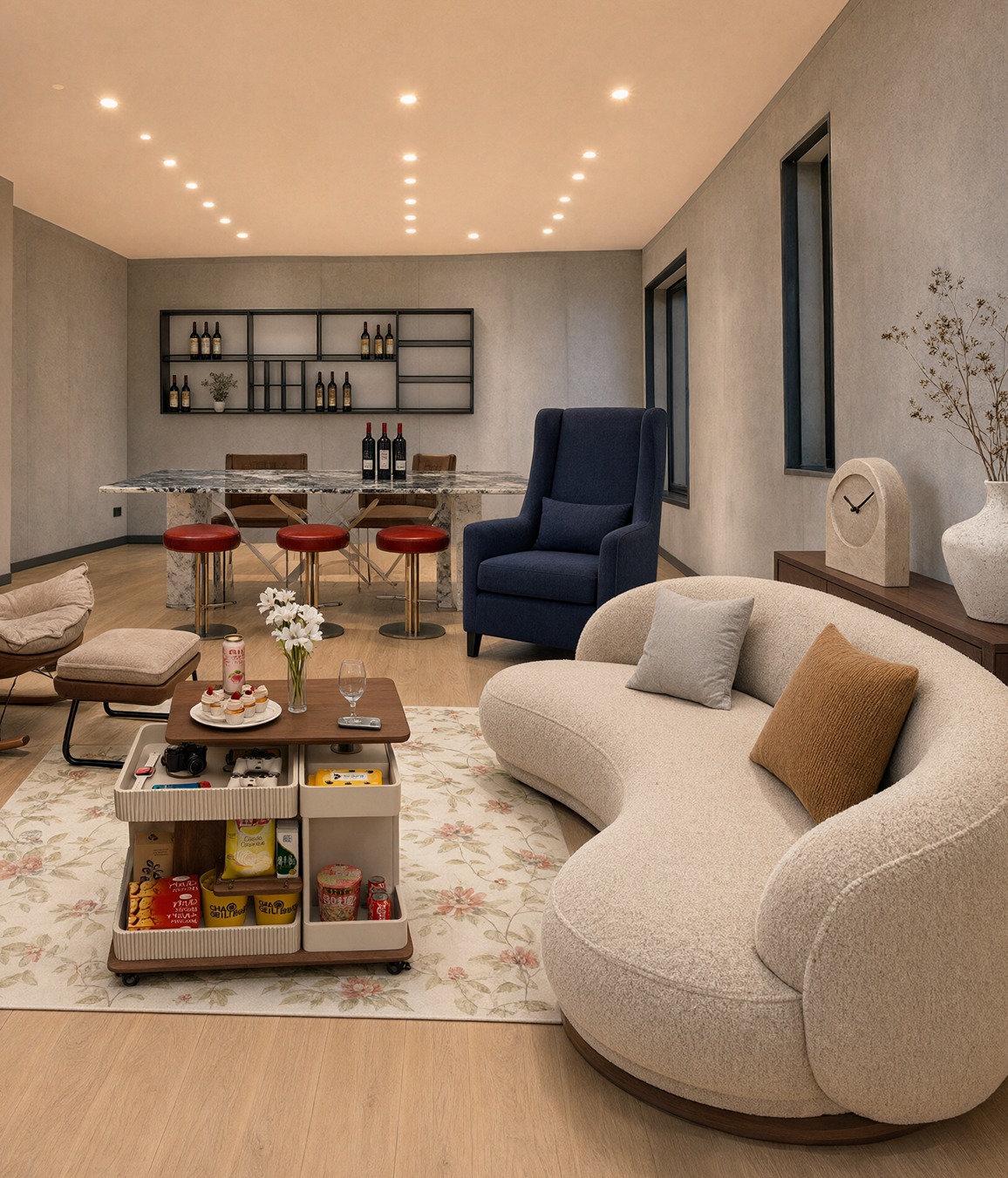
Example 46: Enlarged interior after furniture integration. Creates room-wide perspective and lighting from individual product references.
Example 47: Square crop after changing the camera viewpoint. Makes the scale relationship between the background tower and person easier to inspect.
Example 48: Enlarged character design sheet. Lets you inspect local quality in facial variations, text, and props.
Example 49: Enlarged section of the same person expanded across multiple scenes. Shows clothing and facial consistency, which are important in longer productions.
Example 50: Enlarged architectural infographic. Demonstrates the combined challenges of linework, materials, annotations, and whitespace design.
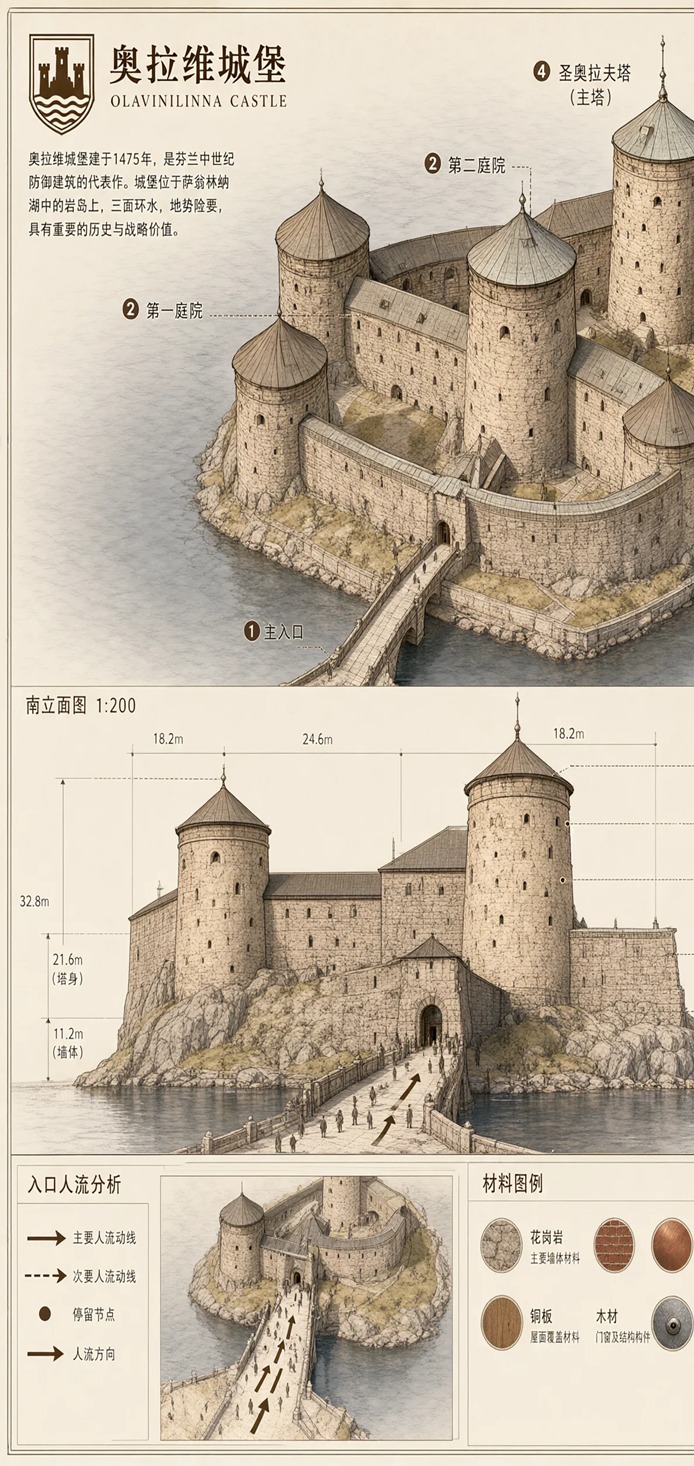
Image source: Official Qwen Team “Qwen-Image-2.1” samples. The six enlarged views are edited crops for comparison and explanation.
100 Reddit Examples and Tests That Drew Attention
The following organizes 100 image-generation and editing patterns that were actually discussed in major Reddit posts about Qwen-Image 2.1. Because they include posters’ subjective opinions and differences in setup, read this not as a benchmark but as a practical catalog of tests that reveal the model’s character.
A. People Photos and Portraits (1–10)
- An amateur-style photo of a woman, as if taken on a smartphone.
- An everyday portrait taken in a supermarket aisle.
- A portrait using cinematic backlighting.
- Relighting a person against a night-scene background.
- Changing weather and time of day together to a rainy night.
- Fashion photography that retains skin texture.
- A right-side profile shot from a low camera position.
- Changing a frontal photo to a three-quarter camera angle.
- Regenerating a face with a major expression change.
- Generating a “reference face” integrated from multiple lighting conditions.
Featured sources: 200+ 1girl tests (about 1,483 votes), initial review
B. Character Consistency (11–20)
- A front, side, and rear sheet for the same character.
- A profile sheet combining face close-ups and a full-body image.
- Generating one consistent face from 2×2 face references.
- Moving the same person to a different location while retaining the face.
- Changing only the clothes on the same person.
- Changing only the hairstyle on the same person.
- Replacing only the pose on the same person.
- Rendering the same person in photorealistic and comic styles.
- Creating multiple poses for sequential shots.
- Using a character sheet as reference material for video generation.
Featured sources: character design sheets, four-angle face references (about 157 votes), Qwen vs. FLUX.2 Krea (about 116 votes)
C. Pose, Camera, and Composition Transfer (21–30)
- Transferring the pose from reference 2 to the person in reference 1.
- Placing a seated person onto the yellow chair from another image.
- Changing a standing pose into a seated pose while preserving the outfit.
- Changing a frontal composition into a low-angle medium shot.
- Expanding only the framing while preserving subject size.
- Transferring a pose from a pose-studio image to a photorealistic person.
- Turning a photorealistic person into a Simpsons-style image while preserving the pose.
- Preserving a product’s placement on the body while changing camera angle.
- Applying deep depth of field to both foreground and background.
- Turning multiple people into a group photo without disrupting their arrangement.
Featured sources: editing tips (about 513 votes), Editing Beast (about 840 votes)
D. Products, Advertising, and Virtual Try-On (31–40)
- Replacing crushed cola cans with another product’s cans in one pass.
- Changing only color and design while retaining the can deformation.
- Reflecting a product’s color onto surrounding white surfaces.
- Naturally placing a watch from another image on a person’s wrist.
- A watch advertisement that preserves the original pose, body shape, and lighting.
- Try-on using five references: model, clothing, shoes, bag, and hat.
- Placing a logo from another image into a product photo.
- Replacing only the packaging while preserving the photo set.
- Transparent-background product cutouts for ecommerce.
- Creating the same product across multiple backgrounds and lighting conditions.
Featured sources: Editing Beast (about 840 votes), multi-reference examples in the official blog
E. Background, Lighting, and Material Editing (41–50)
- Changing a daytime background into a rainy night.
- Replacing only the background while retaining the person.
- Transferring lighting and background from a reference image together.
- Replacing a wall with a green texture from another image.
- Changing an interior to warm evening lighting.
- Switching to sharp lighting in the style of a high-fashion shoot.
- Recalculating a person’s shadow to match the background light.
- Comparing realism with ordinary noise and Brownian noise.
- Comparing texture with Euler and a custom eta 0.50 sampler.
- Balancing sharpness and naturalness with a two-stage sampler.
Featured sources: editing tips, settings test thread (about 80 votes)
F. Transparent PNGs, Cutouts, and Local Editing (51–60)
- A transparent-background PNG of a single character.
- A transparent-background product asset.
- A transparent design asset composed of multiple elements.
- Extracting only a person from a photograph.
- Editing a subject on a transparent layer.
- Inpainting a shape that includes alpha boundaries.
- Changing headphone shape and transparent regions simultaneously.
- Replacing only the clothing area painted red.
- Editing only a prop enclosed in a circle.
- Local editing that completely restores areas outside the mask.
Featured sources: alpha editing with LanPaint (about 77 votes), initial review
G. Outpainting and Restoration (61–70)
- Extending the canvas only on the left.
- Extending the canvas only on the right.
- Extending the canvas only at the top.
- Extending the canvas only at the bottom.
- Extending left, right, and bottom at the same time.
- Filling blank space in a tilted photograph.
- Restoring a background lost to a poor crop.
- Filling in the surroundings of a partially cut-off subject.
- Creating a wider frame while preserving the original background.
- Comparing grain and contrast changes in old-photo restoration.
Featured sources: outpainting test (about 62 votes), critical test of photo restoration
H. Posters, Text, and Graphic Design (71–80)
- An event poster with a large headline.
- An advertising design with composition and information hierarchy decided in advance.
- A comparison of stabilizing large text at 2–2.5MP.
- A comparison of improving detail in text-free visuals at around 4MP.
- Package design containing a product name.
- A graphic showing “Qwen” on a vintage television.
- Naturally compositing signage or logos from another image.
- A complex layout created with a long prompt.
- Testing text corruption and Chinese-character contamination in English infographics.
- A poster comparing design quality with GPT-family image models.
Featured sources: design prompt template, brief review and vintage TV example
I. Style Transfer, Illustration, and Story Creation (81–90)
- Transforming a photorealistic photo into a comic style.
- Transforming a photorealistic person into a Simpsons-style image.
- Transferring only the art style of a reference image to another image.
- Changing color grading while retaining character and background.
- Generating images in a Polaroid-photo style.
- Generating a four-panel storyboard.
- Expanding the same person across multiple scenes.
- Sequential story shots preserving animals, cars, and people.
- Artwork in the style of a modern anime screenshot.
- Comparing failures where anime style is pulled toward photorealistic imagery.
Featured sources: Polaroid experiment, comparison with Krea 2 for anime use, initial review
J. Workflow, Speed, and Quality Comparisons (91–100)
- Comparing composition, texture, and contrast at CFG 1–5.
- Comparing CFG below 2 with the “overcooked” look at CFG 4.
- Fast generation at 16 steps, 1MP, and INT8.
- Testing editing quality at 25 steps and 2K.
- Upscaling from 2K at 30 steps to 4K.
- Editing aimed at roughly double speed with a 4-step LoRA.
- Portrait generation in about 45 seconds at 8 steps, 1024×1280, on an RTX 3060.
- Character-sheet speed comparison between Qwen and FLUX.2 Krea.
- Pixel-level accuracy and 10-reference integration tests at 2K.
- Comparing Fix v2.0 and a dedicated sampler for reducing fine-detail noise.
Featured sources: ComfyUI model release thread (about 106 votes), 4-step low-VRAM workflow (about 44 votes), experiment results, Fix v2.0
A Summary of Reddit’s Reception
Strengths That Receive High Praise
- Editing performance: It preserves the original image relatively well while changing color, backgrounds, materials, poses, and products.
- Multiple references: Strong for productions that combine people and products, fashion items, and props.
- Character consistency: Promising as an entry point for profile materials and sequential shots.
- Transparent images: It can generate and edit alpha itself, not merely create cutouts.
- Outpainting: Easy to use for expanding in multiple directions at once.
- Size and speed: Practical for a 7B generation component, with many quantization and acceleration options.
Repeatedly Reported Weaknesses
- Hands, fingers, arms, and complex human anatomy are unstable.
- Distant faces and thin lines can degrade easily.
- Default output can sometimes have a noisy feel or messy fine details.
- Contrast can be strong, with blacks becoming overly crushed.
- Photo restoration can alter original grain and fine shapes without being asked.
- Some users criticize character sheets for producing stocky body proportions.
- Attribute cross-contamination and hallucinations become more likely as reference images increase.
- Some anime styles are pulled toward photorealistic or cinematic directions.
- Although there are strong text-rendering examples, small text and English infographics remain unstable.
- Results vary greatly with settings, prompt rewriting, and sampler choice.
Taken together, these strengths and weaknesses suggest that Qwen-Image 2.1 is not “a perfect all-purpose model in one shot,” but rather “a production model centered on editing that improves as you refine settings and workflow.”
A Practical Way to Get Started
For ComfyUI, update to the latest version and choose Text-to-Image or Image Edit from the built-in templates. Officially supported workflows are also available on GitHub. Start by making a benchmark image at the official-like setting of 40 steps, then reduce to 16, 8, and 4 steps to compare speed and quality.
For editing, it is easier to test if, instead of vaguely saying “make it better,” you write in the following order.
- What should change.
- Which reference image it should come from.
- What must absolutely not change.
- How lighting, background, body shape, pose, and composition should be preserved.
- Failure-prone elements to put in negative instructions.
For example, for product compositing: “Keep the person and pose from image 1, and place only the watch from image 2 on their wrist. Do not change body shape, background, or lighting.” Clearly state both the target and the preservation requirements. With multiple references, it is important not to leave the relationship between <image1> and <image2> ambiguous.
For transparent images, Reddit examples explicitly use phrases such as “RGBA image,” “alpha channel,” and “background is transparent.” If you want to edit transparency boundaries as well, use alpha-capable mask processing such as LanPaint.
Who Is It For?
Qwen-Image 2.1 is a good fit for the following uses.
- People who want to create locally in ComfyUI.
- People who want to alter only part of a person or product.
- People who want to combine multiple reference assets into one ad or scene.
- People creating character-setting material or reference images for video.
- People creating transparent PNGs or game and web assets.
- Research and development teams operating image-generation and editing APIs on dedicated servers.
Conversely, you should compare it with other models and check the license carefully if your needs involve exact photo restoration, strict identity consistency across long projects, complex poses where hands matter, dense infographics with small text, or unconditional adoption for commercial use.
Conclusion
The essence of Qwen-Image 2.1 is that it integrates T2I, image editing, up to 10 references, local editing, transparent RGBA, and subject extraction into a relatively compact 7-billion-parameter generation component. What has generated the most enthusiasm on Reddit is not simple attractive-character generation, but workflow-shortening use cases such as replacing watches and cans, creating character sheets, transferring backgrounds and lighting, outpainting, and alpha editing.
At the same time, example quality depends heavily on settings. CFG, sampler, step count, resolution, prompt rewriting, and acceleration LoRAs can make results differ so much that they hardly seem to come from the same model. The safest approach is to establish a baseline using official settings, compare one change at a time, and run blind comparisons against other models for important work.
The biggest point of caution is the license. Publicly available weights do not automatically mean commercial use is unrestricted. The technology is highly appealing, but if you plan to adopt it in business, review the official license and current terms before deciding.
Key Links
- Qwen-Image 2.1 official blog
- Official GitHub repository
- Hugging Face Diffusers documentation
- ComfyUI models
- Reddit: 1girl example collection
- Reddit: Editing Beast
- Reddit: Editing Tips
- Reddit: Outpainting
- Reddit: Alpha-channel inpainting
- Reddit: Qwen-Image 2.1 Fix v2.0
This article was created using official information and public community posts available as of October 4, 2026. Reddit vote counts, model-adjacent tools, and licensing terms may change.